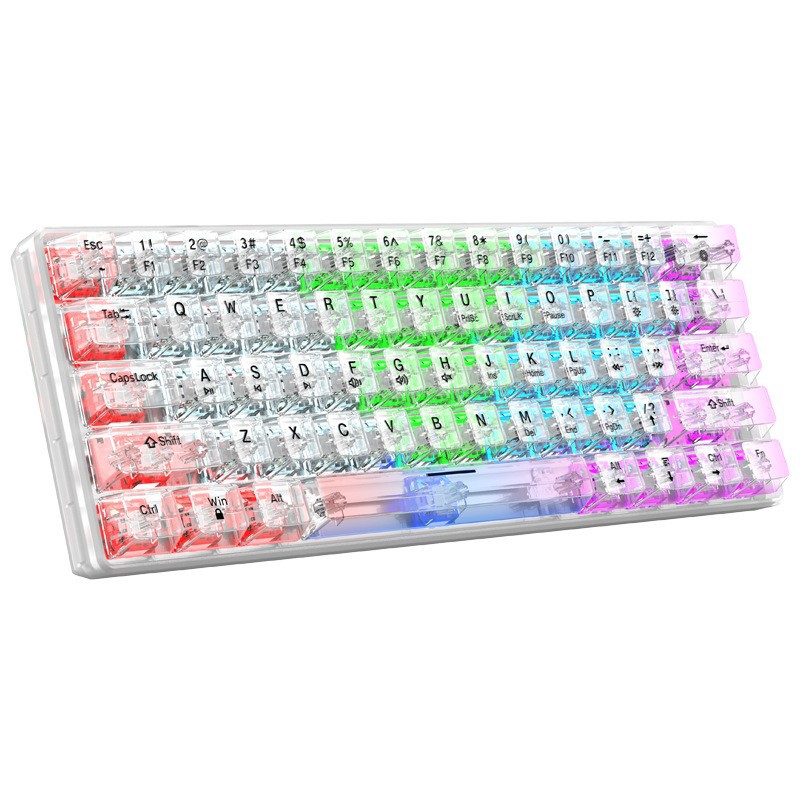
In the digital age, a computer keyboard is more than just a tool for typing; it is an essential device that enhances productivity and user experience. Among the various features of keyboards, function keys play a significant role in streamlining tasks and improving efficiency. This article will explore the top three computer keyboards with function keys available for purchase in the United Kingdom, highlighting their features, benefits, and why they are worth considering for your setup.
Table of Contents
Understanding Function Keys
Function keys, typically labeled F1 through F12, are located at the top of most computer keyboards. These keys serve various purposes, depending on the software being used. They can be programmed to perform specific tasks, such as opening applications, adjusting volume, or controlling media playback. Understanding the functionality of these keys can help users maximize their productivity.
The Importance of Function Keys
- Efficiency: Function keys allow users to perform tasks quickly without navigating through menus, saving time and effort.
- Customization: Many keyboards allow users to customize function keys to suit their specific needs, enhancing the overall user experience.
- Accessibility: Function keys can make certain features more accessible, particularly for users with disabilities or those who require assistive technology.
Top 3 Computer Keyboards with Function Keys in the United Kingdom
1.Logitech K780 Multi-Device Wireless Keyboard
The Logitech K780 is a versatile wireless keyboard designed for multi-device use. It features a compact layout and a built-in stand for smartphones and tablets, making it an excellent choice for users who work across multiple devices.
Key Features
- Multi-Device Connectivity: The K780 can connect to up to three devices simultaneously via Bluetooth or USB receiver, allowing users to switch between devices effortlessly.
- Integrated Stand: The built-in stand holds smartphones and tablets at an optimal angle for typing and viewing.
- Long Battery Life: With a battery life of up to two years, users can enjoy uninterrupted productivity without frequent battery changes.
Benefits for Users
- Versatility: Ideal for users who frequently switch between devices, the K780 enhances productivity by allowing seamless transitions.
- Comfortable Typing Experience: The keyboard’s rounded keys provide a comfortable typing experience, reducing strain during long typing sessions.
2.Corsair K95 RGB Platinum Mechanical Gaming Keyboard
The Corsair K95 RGB Platinum is a high-performance mechanical gaming keyboard that combines functionality with aesthetics. It is designed for gamers and power users who demand precision and customization.
Key Features
- Mechanical Key Switches: The K95 features Cherry MX mechanical key switches, providing tactile feedback and durability for intense gaming sessions.
- Customizable RGB Lighting: Users can customize the RGB lighting for each key, creating stunning visual effects and enhancing the gaming experience.
- Dedicated Macro Keys: The keyboard includes six programmable macro keys, allowing users to assign complex commands for quick access.
Benefits for Users
- Enhanced Gaming Performance: The mechanical switches and customizable features make the K95 an excellent choice for gamers seeking a competitive edge.
- Durability: Built to withstand heavy use, the K95 is designed for longevity, making it a worthwhile investment for serious gamers.
3.Microsoft Sculpt Ergonomic Keyboard
The Microsoft Sculpt Ergonomic Keyboard is designed with comfort and productivity in mind. Its unique layout promotes a natural typing posture, reducing strain on the wrists and hands.
Key Features
- Split Keyboard Design: The split layout encourages a more natural hand position, reducing the risk of repetitive strain injuries.
- Cushioned Palm Rest: The integrated palm rest provides support and comfort during extended typing sessions.
- Function Lock Key: Users can easily switch between function keys and media controls, enhancing versatility.
Benefits for Users
- Improved Comfort: The ergonomic design helps reduce discomfort during long hours of typing, making it suitable for professionals and casual users alike.
- Versatile Functionality: The ability to switch between function keys and media controls allows users to customize their experience based on their needs.

How to Choose the Right Keyboard with Function Keys
When selecting a keyboard with function keys, consider the following factors:
1.Purpose
Determine the primary use of the keyboard. Are you a gamer, a professional typist, or a casual user? Different keyboards cater to different needs, so choose one that aligns with your requirements.
2.Ergonomics
Consider the keyboard’s design and ergonomics. If you spend long hours typing, an ergonomic keyboard can help reduce strain and improve comfort.
3.Connectivity
Decide whether you prefer a wired or wireless keyboard. Wireless keyboards offer more flexibility, while wired options may provide a more stable connection.
4.Customization
Look for keyboards that allow customization of function keys. This feature can enhance productivity by enabling quick access to frequently used commands.
5.Budget
Set a budget for your keyboard purchase. There are options available at various price points, so consider what features are most important to you.
Conclusion
Choosing the right computer keyboard with function keys can significantly enhance your productivity and overall user experience. The Logitech K780, Corsair K95 RGB Platinum, and Microsoft Sculpt Ergonomic Keyboard are three excellent options available in the United Kingdom, each offering unique features and benefits. By understanding your needs and preferences, you can select a keyboard that best suits your workflow and enhances your computing experience.
As you consider upgrading your typing experience with a new keyboard, remember that finding high-quality options with customizable function keys can enhance your productivity. Explore a wide selection of top-rated keyboards at https://looperbuy.com/.
Related Questions & Answers
· What are the benefits of using function keys on a keyboard? Function keys enhance efficiency by allowing users to perform tasks quickly without navigating through menus, and they can be customized for specific functions.
· How do I choose the right keyboard for gaming? Look for keyboards with mechanical switches, customizable RGB lighting, and programmable macro keys to enhance your gaming experience.
· What is the difference between wired and wireless keyboards? Wired keyboards typically offer a more stable connection, while wireless keyboards provide more flexibility and reduce cable clutter.
· Are ergonomic keyboards worth the investment? Yes, ergonomic keyboards can help reduce strain and discomfort during long typing sessions, making them a worthwhile investment for frequent users.
· Can I customize the function keys on my keyboard? Many modern keyboards allow users to customize function keys to suit their specific needs, enhancing productivity and user experience.
Hot Tags: Computer Keyboards; Function Keys; Logitech K780; Corsair K95; Microsoft Sculpt; Ergonomic Keyboards; Gaming Keyboards; Wireless Keyboards; Productivity Tools