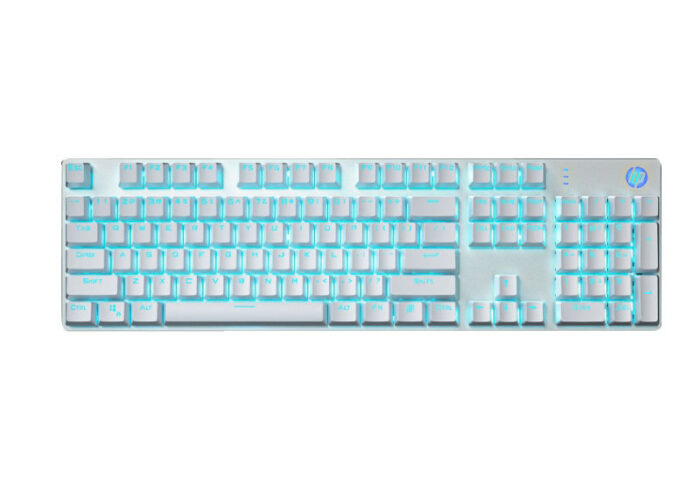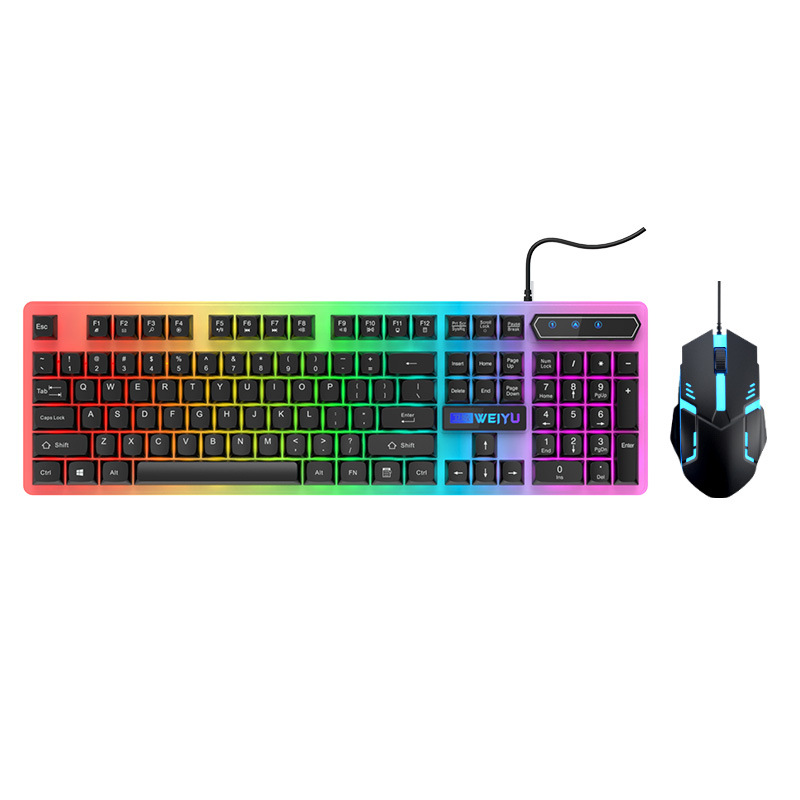
The computer keyboard serves as a vital bridge between users and their digital devices. From typing emails to gaming, the keyboard is an indispensable tool. This article delves into the various aspects of computer keyboards, offering insights into their types, features, and how to select the perfect one for your needs.
Table of Contents
Understanding the Basics of Computer Keyboards
Key Components of a Computer Keyboard
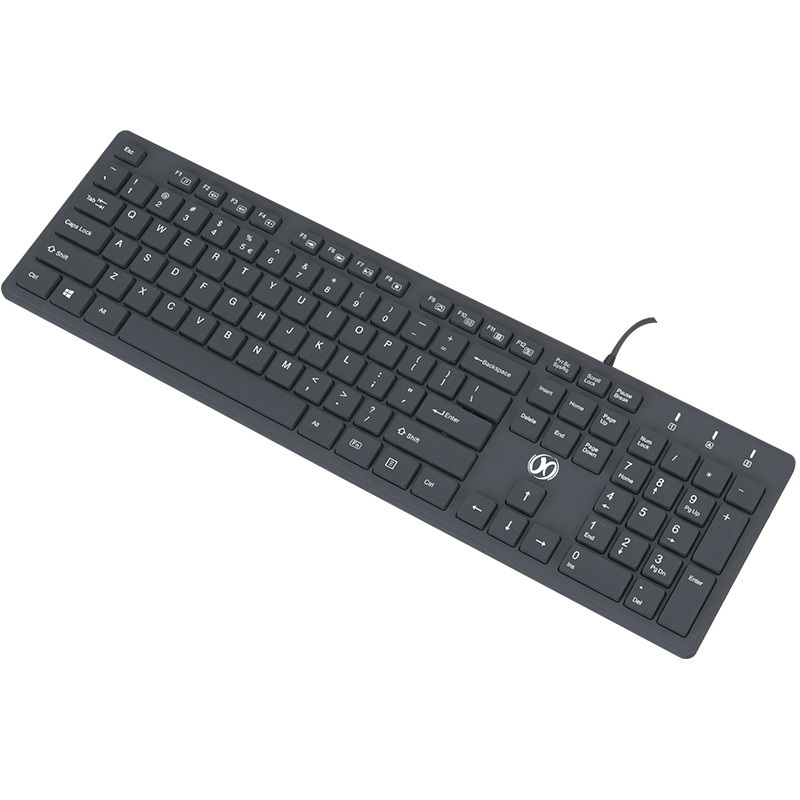
Every computer keyboard consists of several key components that work together to facilitate input. These include alphanumeric keys for entering text and numbers, function keys (F1–F12) for performing specific tasks, modifier keys like Shift, Ctrl, and Alt that alter the function of other keys, a numeric keypad for efficient data entry, and special keys such as Enter, Backspace, and Tab for navigation and text editing. Arrow keys aid in moving through documents and interfaces, while the Escape key allows users to cancel actions or exit certain modes.
Types of Computer Keyboards
1. Wired Keyboards
Wired keyboards connect directly to a computer via a USB or PS/2 port. They are known for their reliability and minimal latency, making them a preferred choice for tasks requiring high precision and speed. Wired keyboards are often more affordable and durable, with a longer lifespan compared to their wireless counterparts. They are commonly used in office settings and by professionals who prioritize performance and stability.
2. Wireless Keyboards
Wireless keyboards offer the advantage of mobility and a clutter-free workspace. They connect to computers using Bluetooth or RF technology, eliminating the need for cables. This flexibility allows users to work from different positions and distances. Wireless keyboards are compatible with a variety of devices, including laptops, desktops, tablets, and smartphones. They are ideal for environments with limited desk space or for those who prefer a more modern, streamlined setup. However, they require periodic battery replacement and may experience occasional connectivity issues.
3. Mechanical Keyboards
Mechanical keyboards feature individual mechanical switches under each key. These switches provide a tactile and responsive typing experience, often preferred by gamers, programmers, and professional typists. Mechanical keyboards are known for their durability, with some models lasting for tens of millions of keystrokes. They offer a variety of switch types, such as Cherry MX Blue, Red, and Brown, each providing different tactile feedback and sound levels. While mechanical keyboards are generally more expensive and louder than other types, their customization options and longevity make them a worthwhile investment for enthusiasts.
4. Membrane Keyboards
Membrane keyboards are the most common type found in everyday use. They utilize a flexible membrane layer under the keys, which completes a circuit when pressed. Membrane keyboards are quieter and more affordable than mechanical keyboards, making them suitable for general office use and casual users. However, they lack the tactile feedback and durability of mechanical keyboards. Their keys are closely spaced, and they are often more resistant to dust and spills, making them easy to clean and maintain. Membrane keyboards are widely used with desktops and laptops due to their cost-effectiveness and reliability.
5. Ergonomic Keyboards
Ergonomic keyboards are designed with user comfort and health in mind. They aim to reduce muscle strain, fatigue, and the risk of repetitive strain injuries by promoting a more natural hand and wrist posture. Ergonomic keyboards often feature a split or curved design, allowing users to position their hands at a comfortable angle. Some models include adjustable keyframes, wrist rests, and concave keys to enhance comfort during extended typing sessions. They are particularly beneficial for individuals who spend long hours typing, such as writers, programmers, and office workers. While ergonomic keyboards may require some adjustment to get used to, they offer significant advantages in terms of user well-being and productivity.
6. Gaming Keyboards
Gaming keyboards are specialized peripherals designed to enhance the gaming experience. They typically feature additional macro keys for complex in-game commands, customizable backlighting for improved visibility and aesthetics, and programmable keys that can be assigned specific functions. Many gaming keyboards use mechanical switches to provide quick response times and accurate keystroke registration. They are built to withstand intense usage and often come with advanced software for customization. Gaming keyboards cater to the unique needs of gamers, offering features that can give players a competitive edge and immerse them in their gaming sessions.
7. Virtual Keyboards
Virtual keyboards are software-based input methods displayed on a device’s screen. They are commonly found on touchscreen devices such as tablets and smartphones. Users interact with the virtual keys by tapping or clicking, allowing for convenient input on the go. Virtual keyboards adapt to different languages and layouts, offering a wide range of characters and symbols. Some advanced virtual keyboards also support features like predictive text, autocorrect, and gesture typing to enhance usability. They are particularly useful for mobile users who need to input text without carrying a physical keyboard. However, virtual keyboards may not provide the same typing speed and accuracy as physical keyboards.
8. Projection Keyboards
Projection keyboards use advanced technology to project a visual keyboard layout onto a flat surface. They employ infrared or laser beams to detect finger movements and register keystrokes. Projection keyboards are highly portable and can be connected to devices via Bluetooth or USB. They are ideal for users who need a keyboard for occasional use and prefer not to carry a physical device. However, projection keyboards require a stable, flat surface for accurate key registration and may not be as intuitive to use as traditional keyboards. They are often used with mobile devices and in environments where space is limited.
9. Backlit Keyboards
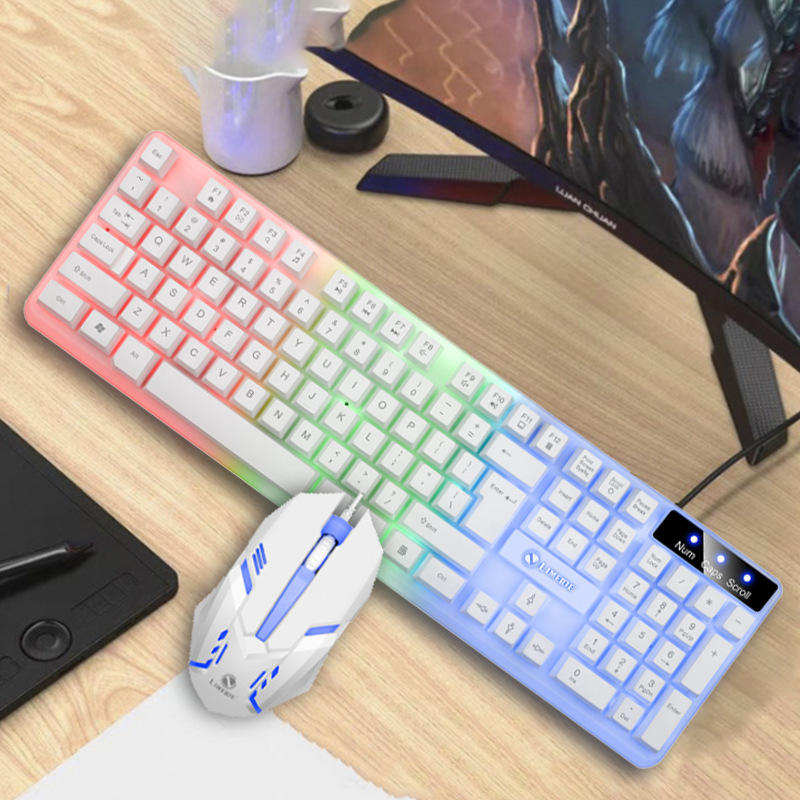
Backlit keyboards feature illuminated keys that enhance visibility in low-light conditions. The backlighting can be adjusted in terms of brightness and color, allowing users to customize their typing environment. Backlit keyboards are commonly found on gaming keyboards, laptops, and premium desktop keyboards. They add a stylish element to the setup while providing practical benefits for users who work or game in dimly lit areas. However, backlit keyboards may consume more power and can be slightly more expensive than non-backlit models.
Choosing the Right Computer Keyboard
Consider Your Usage Scenario
The first step in selecting a computer keyboard is to determine how you will primarily use it. If you are a gamer, a gaming keyboard with mechanical switches and programmable keys may be the best choice. For office use, an ergonomic keyboard or a membrane keyboard with a numeric keypad could provide comfort and efficiency. Casual users might find a wireless keyboard or a sleek wired keyboard sufficient for their needs. Tailoring your choice to your specific usage scenario ensures that you get a keyboard that enhances your productivity and enjoyment.
Evaluate Comfort and Ergonomics
If you spend long hours typing, comfort should be a top priority. Consider the keyboard’s design, key spacing, and overall feel. Ergonomic keyboards are specifically designed to reduce strain and discomfort, making them ideal for prolonged use. Look for features like wrist rests, curved keyframes, and adjustable angles that allow you to maintain a natural hand position. A comfortable keyboard can significantly improve your typing experience and reduce the risk of developing repetitive strain injuries.
Assess Durability and Build Quality
Investing in a durable keyboard can save you money in the long run. Mechanical keyboards are renowned for their longevity, with some models lasting for decades. Wired keyboards generally have a more robust build compared to wireless ones. Consider the materials used in the keyboard’s construction, such as aluminum housings, ABS keycaps, or PBT keycaps. High-quality materials not only enhance durability but also provide a premium feel. If you frequently move your keyboard or use it in different environments, a sturdy and well-built keyboard will withstand the wear and tear better.
Consider Connectivity Options
Decide whether you prefer a wired or wireless keyboard based on your needs. Wired keyboards offer reliable and lag-free performance, making them suitable for competitive gaming and professional tasks. Wireless keyboards provide freedom of movement and a cleaner desk setup, appealing to those who prioritize mobility and aesthetics. If you choose a wireless keyboard, consider its battery life, charging method, and connectivity range. Some wireless keyboards offer dual-mode connectivity, allowing you to switch between Bluetooth and USB receivers for added flexibility.
Explore Additional Features
Modern computer keyboards come with a variety of additional features to enhance functionality and convenience. Programmable keys allow you to assign custom functions, macros, or shortcuts to streamline your workflow. Media control keys enable quick access to volume adjustment, playback controls, and other multimedia functions. Backlighting adds a visual appeal and improves usability in low-light conditions. Some keyboards even include touchpads, fingerprint sensors, or integrated wrist rests for added functionality. Consider which of these features align with your specific needs and preferences.
Popular Computer Keyboard Brands
1. Logitech
Logitech is a well-known brand in the computer peripherals market, offering a wide range of keyboards for different user needs. Their keyboards are renowned for their reliability, comfortable design, and advanced features. Logitech’s MX series caters to professionals with its premium build quality and efficient performance, while the G series targets gamers with customizable options and mechanical switches. The Logitech K860 and K840 are popular models among users seeking ergonomic designs and reliable typing experiences. Logitech also produces compact keyboards like the K380 for those with limited desk space or for on-the-go use.
2. Razer
Razer specializes in high-performance gaming peripherals, including a diverse selection of gaming keyboards. Their keyboards are equipped with top-tier mechanical switches, such as the Razer Green, Orange, and Linear switches, each designed to meet different gaming preferences. Razer keyboards feature customizable RGB backlighting, advanced macro programming capabilities, and robust software for customization. Models like the Razer Huntsman V2 and Razer BlackWidow V3 are favored by gamers for their responsive performance and durable construction. Razer also emphasizes sleek, modern designs that appeal to gaming enthusiasts and tech-savvy users.
3. Cherry
Cherry is a trusted name in the keyboard industry, particularly known for its high-quality mechanical switches. These switches are widely used by other keyboard manufacturers and are synonymous with precision and longevity. Cherry keyboards offer a range of switch types, including the iconic Cherry MX Blue, Red, Brown, and Silent switches, each providing distinct tactile feedback and sound characteristics. Cherry keyboards are prized for their excellent build quality, ergonomic designs, and suitability for both gaming and professional typing. The Cherry Stream and Cherry Stream SF are notable models that combine functionality with aesthetic appeal. Cherry’s commitment to quality and innovation has made it a favorite among keyboard enthusiasts and professionals alike.
4. Corsair
Corsair provides a comprehensive lineup of keyboards catering to gamers and productivity-focused users. Their K series keyboards, such as the Corsair K100 and K70 RGB TKL, are equipped with high-quality Cherry MX or Kailh switches and feature customizable RGB lighting. Corsair keyboards often include advanced software for macro programming and customization, as well as additional features like OLED displays and media controls. Corsair also offers Strafe series keyboards designed with esports professionals in mind, emphasizing responsiveness and durability. With a strong emphasis on performance and customization, Corsair keyboards are a popular choice for serious gamers and professionals.
5. SteelSeries
SteelSeries is another prominent brand in the gaming peripherals market, offering a variety of keyboards tailored for gamers. Their keyboards are known for their durable construction, customizable RGB lighting, and gaming-optimized features. Models like the SteelSeries Apex 7 and SteelSeries Prime+ Series provide users with reliable performance and a range of switch options to suit different gaming styles. SteelSeries keyboards also integrate well with other SteelSeries peripherals and software, creating a cohesive ecosystem for gamers. The brand’s focus on quality and gaming performance has earned it a loyal following among gaming enthusiasts.
Benefits of Using a Quality Computer Keyboard
Enhanced Typing Experience
A high-quality computer keyboard significantly improves the typing experience. Mechanical keyboards, in particular, offer precise keystroke registration and tactile feedback, allowing for faster and more accurate typing. The tactile response of mechanical switches helps reduce typos and enhances overall typing efficiency. Additionally, well-designed keyboards with comfortable key spacing and ergonomic layouts reduce finger fatigue during extended typing sessions, making the process more enjoyable and productive.
Improved Ergonomics and Comfort
Investing in a quality keyboard that prioritizes ergonomics can greatly benefit your physical well-being. Ergonomically designed keyboards help maintain proper hand and wrist posture, reducing the risk of strain, discomfort, and repetitive strain injuries. Features like split keyframes, curved designs, and wrist rests allow users to position their hands naturally, minimizing muscle tension and promoting better blood circulation. This is particularly important for individuals who spend long hours typing, as it helps prevent potential long-term health issues and ensures a more comfortable work environment.
Customization and Personalization
Many high-quality computer keyboards offer extensive customization options, enabling users to personalize their typing experience to match their preferences and needs. Programmable keys allow you to assign specific functions, macros, or shortcuts to streamline your workflow and enhance productivity. Backlighting customization, including adjustable brightness, color options, and lighting effects, adds a personal touch to your setup and can also improve visibility in different lighting conditions. Some keyboards even allow for the replacement of keycaps or the use of custom key art, allowing you to create a unique and visually appealing keyboard that reflects your style.
Increased Durability and Longevity
Quality computer keyboards are built to last, with durable materials and construction that can withstand extensive use. Mechanical keyboards, for example, often feature switches rated for tens of millions of keystrokes, ensuring longevity even with heavy usage. The use of high-quality materials like aluminum housings, PBT keycaps, and reinforced internal components enhances the keyboard’s resilience to wear and tear. A durable keyboard not only saves you from frequent replacements but also provides consistent performance over time, making it a worthwhile investment for both personal and professional use.
Better Performance for Gaming and Professional Tasks
For gamers and professionals who rely on precise and responsive input, a quality computer keyboard can make a significant difference in performance. Gaming keyboards with mechanical switches offer minimal latency and accurate keystroke registration, giving players a competitive edge in fast-paced games. Features like anti-ghosting and N-key rollover ensure that all keystrokes are registered correctly, even during intense gaming sessions. For professionals engaged in tasks like programming, content creation, or data entry, a reliable and efficient keyboard can enhance productivity and reduce errors, ultimately leading to better overall performance and results.
Conclusion
The computer keyboard is a fundamental tool that impacts our daily interactions with technology. By understanding the different types of keyboards available, their features, and how to choose the right one, you can enhance your typing experience, comfort, and productivity. Whether you’re a gamer seeking immersive performance, a professional requiring precision and efficiency, or a casual user looking for convenience and comfort, there’s a computer keyboard tailored to your needs. Investing in a quality keyboard not only improves your immediate experience but also contributes to your long-term well-being and satisfaction with your digital workflow.
How to Purchase:https://looperbuy.com/search?keywords=picture+of+computer+keyboard
Related Questions and Answers
Q: What are the main differences between mechanical and membrane keyboards?
A: Mechanical keyboards feature individual mechanical switches under each key, providing a tactile and responsive typing experience. They are known for their durability, customizable switch types, and audible feedback. Membrane keyboards, on the other hand, use a flexible membrane layer under the keys. They are quieter, more affordable, and have a more uniform keypress feel. However, they lack the tactile feedback and durability of mechanical keyboards. Mechanical keyboards are often preferred by gamers and professional typists for their performance benefits, while membrane keyboards are suitable for general office use and casual users due to their cost-effectiveness and quiet operation.
Q: How can I choose an ergonomic keyboard that suits my needs?
A: To choose an ergonomic keyboard that suits your needs, consider factors such as the keyboard’s design, key layout, and additional features. Look for keyboards with a split or curved design that allows your hands to rest in a natural position. Adjustable keyframes and wrist rests can further enhance comfort during extended typing sessions. Research different ergonomic keyboard models and read user reviews to understand how they perform in terms of reducing strain and improving comfort. If possible, try out the keyboard in person to ensure it feels comfortable and aligns with your typing style. Additionally, consider pairing the ergonomic keyboard with an ergonomic mouse and monitor setup to create a fully ergonomic workspace.
Q: What are some popular brands for gaming keyboards?
A: Some popular brands for gaming keyboards include Razer, Logitech, Corsair, SteelSeries, and Cherry. These brands offer a wide range of gaming keyboards with features like mechanical switches, customizable backlighting, programmable keys, and advanced software for customization. Razer is known for its high-performance gaming peripherals with innovative designs. Logitech provides reliable and feature-rich keyboards for both gaming and productivity. Corsair focuses on quality and customization options for gamers. SteelSeries emphasizes durability and gaming optimization in its keyboard lineup. Cherry is renowned for its high-quality mechanical switches used in many gaming keyboards. Each of these brands has a strong reputation in the gaming industry and offers keyboards catering to different gaming preferences and budgets.
Q: Can I use a wireless keyboard for gaming?
A: Yes, you can use a wireless keyboard for gaming. Many wireless keyboards available today offer low latency and reliable connectivity, making them suitable for gaming purposes. Brands like Logitech, Razer, and SteelSeries produce wireless gaming keyboards with advanced technologies to minimize input lag and ensure responsive performance. These keyboards often feature mechanical switches for a more gaming-oriented typing experience. However, some competitive gamers may still prefer wired keyboards due to their slightly faster response times and absence of battery life concerns. For casual gaming and less latency-sensitive games, a wireless keyboard can provide the benefits of mobility and a clutter-free setup without significantly impacting performance.
Q: How do I clean and maintain my computer keyboard?
A: Cleaning and maintaining your computer keyboard is essential for optimal performance and longevity. Start by powering off the keyboard and disconnecting it from your computer. Use a can of compressed air to blow away dust and debris accumulated between the keys. For spills or sticky keys, remove the keycaps (if possible) and clean them with a mild detergent solution and a soft brush. Wipe the keyboard surface with a slightly damp cloth to remove any dirt or stains. Avoid using excessive water, as it can damage the internal components. For membrane keyboards, you can also use a soft toothbrush to gently scrub between the keys. Regular cleaning, at least every few months, helps prevent dust buildup and ensures your keyboard remains in good working condition. Additionally, avoid eating or drinking near your keyboard to minimize the risk of spills and damage.
Hot Tags: Picture of Computer Keyboard; Computer Keyboard Types; Wired Keyboards; Wireless Keyboards; Mechanical Keyboards; Membrane Keyboards; Ergonomic Keyboards; Gaming Keyboards; Virtual Keyboards; Backlit Keyboards