The Scarlett Focusrite data cable is a crucial component for musicians and audio engineers who rely on the Focusrite Scarlett audio interfaces. This article delves into the significance of this cable, its features, and how it enhances the overall audio recording experience. Understanding the role of this cable can help users appreciate its importance in achieving high-quality sound recordings and seamless audio production.
Table of Contents
Understanding the Scarlett Focusrite Data Cable
What is the Scarlett Focusrite Data Cable?
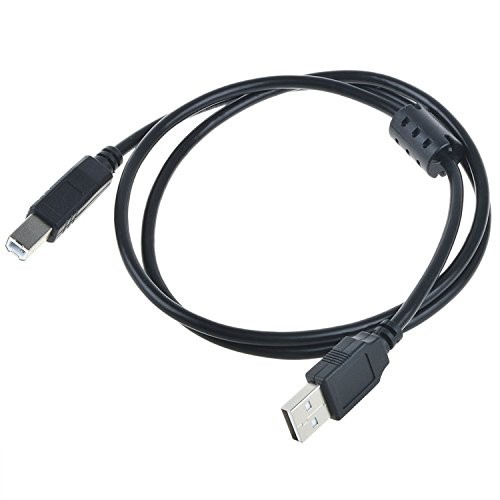
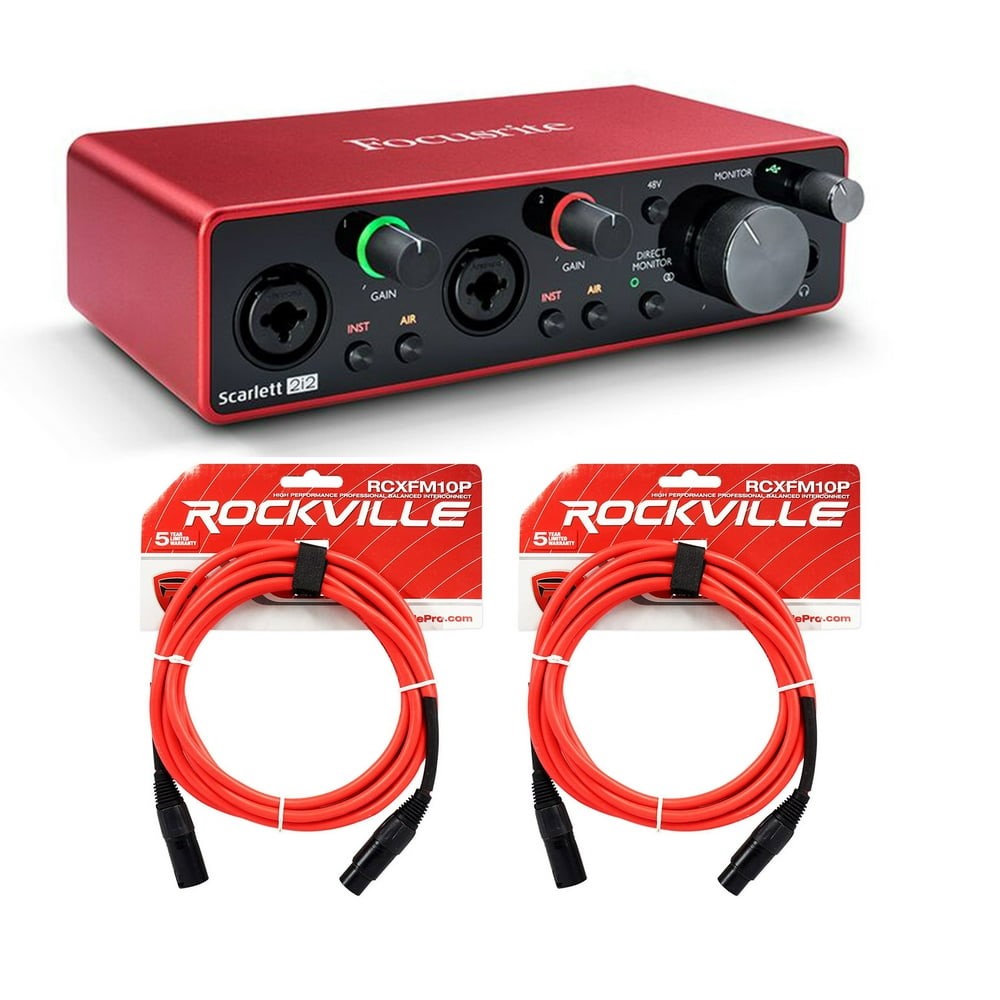
The Scarlett Focusrite data cable is a USB cable designed specifically for connecting Focusrite Scarlett audio interfaces to computers. It typically features a USB Type-B connector on one end, which plugs into the audio interface, and a USB Type-A connector on the other end, which connects to the computer. This cable is essential for transmitting audio data between the interface and the computer, enabling high-quality recordings and playback. The design of the cable ensures that it can handle the demands of audio data transfer, which is often more intensive than standard data transfer tasks.
Why is the Data Cable Important?
The data cable is vital for several reasons. First, it ensures a stable and reliable connection between the audio interface and the computer, which is crucial for professional audio work. A poor connection can lead to audio dropouts, latency issues, and other problems that can compromise the quality of recordings. Second, the cable supports high-speed data transfer, allowing for efficient handling of audio signals, which is particularly important when working with multiple tracks or high-resolution audio files. In a professional setting, where every detail matters, having a dependable data cable can make a significant difference in the final output of a recording session.
Features of the Scarlett Focusrite Data Cable
High-Quality Construction
The Scarlett Focusrite data cable is built to last. It typically features a durable outer casing that protects the internal wiring from wear and tear. This durability is essential for musicians who frequently transport their equipment to gigs or recording sessions. Additionally, the connectors are designed to fit snugly into the ports of the audio interface and computer, minimizing the risk of accidental disconnections. The robust construction not only enhances the longevity of the cable but also ensures that it can withstand the rigors of daily use in various environments, from home studios to live performances.
Compatibility
One of the standout features of the Scarlett Focusrite data cable is its compatibility with various Focusrite audio interfaces, including the Scarlett Solo, 2i2, and 18i20 models. This versatility makes it a valuable accessory for anyone using Focusrite products. Furthermore, the cable is compatible with both Windows and Mac operating systems, ensuring that it can be used in a wide range of setups. This cross-platform compatibility is particularly beneficial for users who may switch between different operating systems or collaborate with others who use different setups.
Length Options
The Scarlett Focusrite data cable is available in various lengths, typically ranging from 3 to 10 feet. This variety allows users to choose a length that best suits their setup, whether they are recording in a studio or performing live on stage. A longer cable can provide more flexibility in positioning the audio interface, while a shorter cable can help reduce clutter. Choosing the right length is essential for maintaining an organized workspace and ensuring that the setup is both functional and aesthetically pleasing.
How to Choose the Right Scarlett Focusrite Data Cable
Consider Your Interface Model
When selecting a data cable, it is essential to consider the specific model of your Focusrite audio interface. Different models may have different requirements, so ensuring compatibility is crucial. Most Scarlett interfaces use a USB Type-B connection, but it is always best to double-check the specifications. Understanding the technical requirements of your specific model can help you avoid potential issues and ensure that you are using the best cable for your needs.
Cable Length
As mentioned earlier, the length of the cable can significantly impact your setup. If you are working in a small studio space, a shorter cable may suffice. However, if you need to connect your interface to a computer that is further away, opting for a longer cable will provide the necessary reach without compromising the connection quality. Additionally, considering the layout of your workspace can help you determine the optimal cable length to maintain a clean and efficient setup.
Quality of the Cable
Not all USB cables are created equal. When purchasing a Scarlett Focusrite data cable, look for options that emphasize high-quality construction and materials. A well-made cable will not only last longer but also provide better performance in terms of data transfer speeds and reliability. Investing in a high-quality cable can save you time and frustration in the long run, as it reduces the likelihood of connectivity issues and ensures consistent performance during recording sessions.
Common Issues with Data Cables
Signal Interference
One common issue with data cables is signal interference, which can lead to audio dropouts or degraded sound quality. This problem can often be mitigated by using a high-quality cable that is shielded against interference. Additionally, keeping the cable away from power sources and other electronic devices can help maintain a clean signal. Understanding the potential sources of interference in your recording environment can help you take proactive measures to minimize their impact on your audio quality.
Wear and Tear
Over time, data cables can experience wear and tear, especially if they are frequently plugged and unplugged. Signs of wear include frayed ends, exposed wires, or a loose connection. Regularly inspecting your cable for damage and replacing it when necessary can help prevent issues during recording sessions. Being proactive about cable maintenance can extend the life of your equipment and ensure that you are always ready for your next recording or performance.
Compatibility Problems
While the Scarlett Focusrite data cable is designed to be compatible with various Focusrite interfaces, users may occasionally encounter compatibility issues with other devices. Ensuring that the cable meets the specifications required by your audio interface and computer can help avoid these problems. Familiarizing yourself with the technical specifications of your devices can help you make informed decisions when purchasing cables and other accessories.
Conclusion
The Scarlett Focusrite data cable is an essential accessory for anyone using Focusrite audio interfaces. Its high-quality construction, compatibility with various models, and reliable performance make it a must-have for musicians and audio professionals alike. By understanding the importance of this cable and how to choose the right one, users can enhance their recording experience and ensure high-quality audio output. Investing in a good data cable is a small but significant step towards achieving professional-level recordings and a smoother workflow in audio production.
Frequently Asked Questions
1. What type of USB cable does the Scarlett Focusrite use?
The Scarlett Focusrite audio interfaces typically use a USB Type-B to USB Type-A cable for connection to computers. This standard connection type is widely used in audio interfaces and ensures compatibility with most computers.
2. Can I use any USB cable with my Focusrite interface?
While you can use other USB cables, it is recommended to use a high-quality cable designed for audio interfaces to ensure optimal performance and reliability. Using a cable that meets the specifications of your interface can help prevent connectivity issues and ensure high-quality audio transmission.
3. How long should my Scarlett Focusrite data cable be?
The length of the cable depends on your setup. Common lengths range from 3 to 10 feet, allowing flexibility based on your recording environment. Choosing the right length can help maintain an organized workspace and ensure that your equipment is positioned optimally for use.
4. What should I do if my data cable is damaged?
If your data cable shows signs of wear or damage, it is best to replace it to avoid issues with audio quality and connectivity. Regularly inspecting your cables can help you catch potential problems early and ensure that you are always prepared for your recording sessions.
5. Is the Scarlett Focusrite data cable compatible with Mac and Windows?
Yes, the Scarlett Focusrite data cable is compatible with both Mac and Windows operating systems, making it versatile for various setups. This cross-platform compatibility is beneficial for users who may switch between different operating systems or collaborate with others who use different setups.
How To Purchase:https://looperbuy.com/search?keywords=Scarlett+Focusrite+data+cable