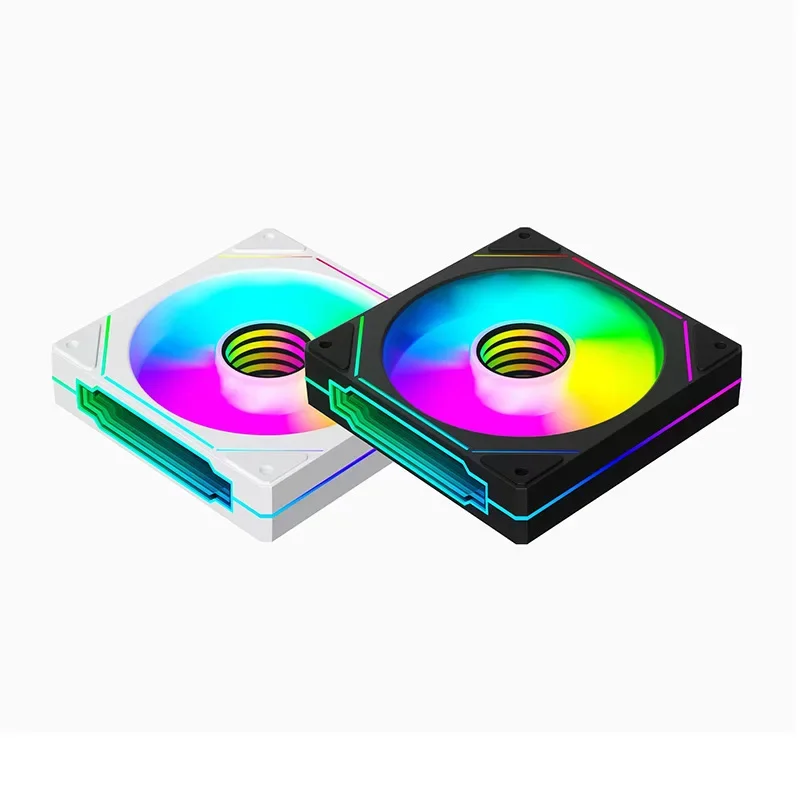
In the world of computer hardware, efficient cooling is crucial for maintaining optimal performance and longevity. One critical aspect of a computer’s cooling system is the radiator fan direction. This seemingly minor detail can significantly impact how well your system dissipates heat and maintains stable operating temperatures. In this comprehensive guide, we’ll explore the importance of radiator fan direction, how to determine the correct orientation, and strategies for optimizing your computer’s cooling efficiency.
Table of Contents
The Importance of Radiator Fan Direction
Enhancing Heat Dissipation
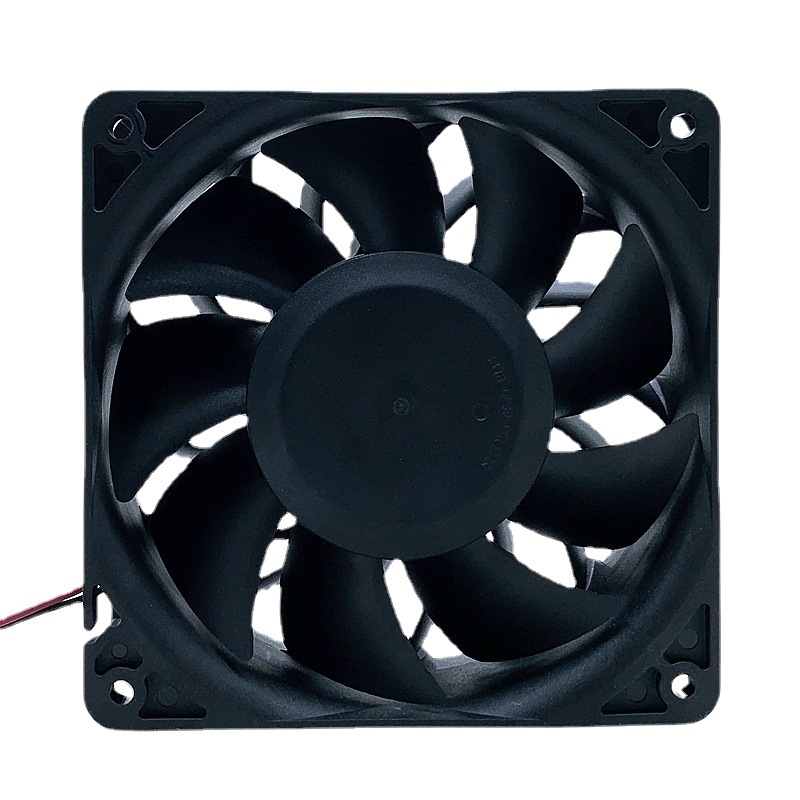
The primary function of a radiator fan is to facilitate the transfer of heat from the cooling system to the surrounding air. When installed correctly, the fan creates airflow that efficiently moves hot air away from the radiator and pulls in cooler air. This process is essential for preventing overheating, which can lead to system instability, performance degradation, and even hardware damage over time.
Maintaining Airflow Balance
Proper radiator fan direction contributes to a balanced airflow within the computer case. Ideal airflow involves a combination of intake and exhaust fans, with radiators typically positioned to exhaust hot air out of the case. Correct fan orientation ensures that the radiator works in harmony with other cooling components, creating a cohesive cooling system rather than causing airflow conflicts.
Determining the Correct Radiator Fan Direction
Visual Inspection of Fan Blades
One straightforward method to determine the correct radiator fan direction is by examining the fan blades. Most fans are designed to rotate in a specific direction to generate optimal airflow. Typically, the curve of the fan blades indicates the intended direction of rotation. If the blades curve upward, the fan should be installed so that it blows air away from the radiator.
Manufacturer Specifications and Markings
Reputable fan manufacturers often provide markings or documentation indicating the correct installation direction. These markings might include arrows on the fan frame or specifications detailing the intended airflow direction. Always consult the manufacturer’s guidelines to ensure optimal performance.
Radiator Fan Direction in Different Cooling Setups
Push vs. Pull Configurations
In push configurations, the fan is mounted on the intake side of the radiator, drawing air through the radiator fins. This setup can help keep the radiator clean by minimizing dust accumulation. Conversely, pull configurations position the fan on the exhaust side, pulling air through the radiator. Pull setups often create more negative pressure, potentially improving airflow efficiency through the radiator.
Multi – Fan Radiator Setups
For radiators with multiple fans, ensuring consistent fan direction across all fans is crucial. All fans should work in unison to either push or pull air through the radiator. Mixing fan directions within a single radiator setup can create turbulence and reduce cooling efficiency.
Optimizing Radiator Fan Performance
Regular Maintenance
Dust accumulation on radiator fins and fan blades can significantly reduce cooling efficiency. Regular cleaning with compressed air or a soft brush helps maintain optimal airflow. Additionally, ensuring that fan mounting hardware is secure prevents vibrations that can lead to noise and potential hardware stress.

Fan Speed Control and Airflow Management
Adjusting fan speeds through motherboard software or third – party controllers allows for balancing noise levels and cooling performance. Higher fan speeds increase airflow but may generate more noise, while lower speeds reduce noise but may compromise cooling. Finding the right balance for your specific needs is key to maintaining a stable system.
Conclusion
Understanding and correctly implementing radiator fan direction is a fundamental aspect of computer cooling optimization. By ensuring proper airflow through your radiator and maintaining a balanced cooling system, you can extend the lifespan of your hardware and enjoy consistent performance. Taking the time to verify fan orientation and perform regular maintenance pays dividends in the long – term reliability of your computer.
How to Purchase:https://looperbuy.com/search?keywords=computer+radiator+fan+direction
Frequently Asked Questions
Q: Can reversing a radiator fan direction damage the fan or computer components?
A: Reversing a radiator fan typically won’t damage the fan or computer components physically. However, it can reduce cooling efficiency, potentially leading to higher operating temperatures over time. It’s always best to install fans according to their designed airflow direction.
Q: How often should I clean my radiator and fans to maintain optimal cooling?
A: Regular maintenance is essential. Most experts recommend cleaning radiators and fans every 1 – 3 months, depending on your environment. Dustier areas may require more frequent cleaning to prevent airflow obstruction.
Q: Are there performance differences between push and pull radiator fan configurations?
A: Yes, push and pull configurations can yield different results. Push setups may keep radiators cleaner but can sometimes create positive pressure. Pull setups often provide more efficient airflow but may allow more dust into the system. The optimal choice depends on your specific cooling needs and case design.
Q: Can I mix different fan sizes in my radiator cooling system?
A: Mixing fan sizes is possible but requires careful consideration. Larger fans typically move more air but at lower static pressure, while smaller fans may generate higher pressure. Ensuring consistent airflow direction and compatibility with your radiator and case is crucial for optimal performance.
Q: What tools do I need to adjust radiator fan direction?
A: Adjusting radiator fan direction usually requires basic tools like a screwdriver to remove and reattach the fan. For fans without directional markings, a visual inspection of blade curvature or consulting manufacturer specifications helps determine the correct orientation.
Hot Tags: Computer Radiator Fan Direction; PC Cooling Optimization; Radiator Fan Installation; Cooling System Maintenance; Fan Airflow Management; Push vs Pull Radiator Setup; Computer Hardware Longevity; Efficient Heat Dissipation; PC Fan Configuration; Computer Overheating Prevention