When dealing with a broken screen on your Redmi phone, it can be frustrating and costly to seek professional repair services. However, with the right tools and a bit of patience, you can undertake this task yourself. This article will guide you through the process of repairing a broken screen on your Redmi phone, focusing on models like the Redmi Note 10S and Redmi 10C.
Table of Contents
Understanding the Repair Process
Preparing for the Repair
Before you start, ensure you have the necessary tools and replacement parts. For most Redmi models, you will need a new screen assembly, a set of screwdrivers, a heat gun, and a plastic spudger or similar tool. It’s also important to have a clean workspace and safety goggles to protect yourself from any debris.
Removing the Back Cover
The first step in repairing your Redmi phone’s screen is to remove the back cover. For models like the Redmi 10C, this is relatively straightforward as the cover is made of plastic and can be pried off using a fingernail or a plastic tool. However, for models with a glass back, such as the Redmi Note 11 Pro 5G, you will need to use a heat gun to loosen the adhesive before attempting to remove it.
Disconnecting Components
Once the back cover is off, you will need to disconnect various components such as the battery and fingerprint reader cables. This requires care to avoid damaging the flex cables. Use a screwdriver to remove any screws holding these components in place.
Removing the Old Screen
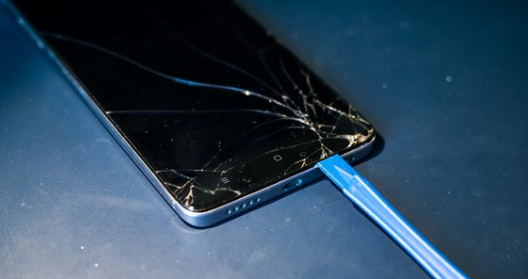
To remove the old screen, apply heat around the edges to loosen the adhesive. Use a plastic spudger or card to carefully pry the screen away from the frame. Be cautious not to apply too much pressure, which could damage the phone’s internal components.
Installing the New Screen
After removing the old screen, clean any remaining adhesive from the frame. Then, align the new screen and apply adhesive to secure it in place. Ensure all cables are properly connected before reassembling the phone.
Reassembling the Phone
Reattach the components you disconnected earlier, including the battery and fingerprint reader. Replace any screws you removed and ensure they are securely tightened. Finally, reattach the back cover, applying adhesive if necessary.
Common Challenges and Solutions
During the repair process, you may encounter several challenges:
- Stuck Screws: Use a screw extractor or apply a small amount of lubricant to help loosen them.
- Adhesive Issues: Ensure the adhesive is properly applied and aligned to avoid bubbles or uneven bonding.
- Component Damage: Handle components with care to avoid damage. If damage occurs, consider replacing the affected part.
Tips for Successful Repair
- Use Genuine Parts: Ensure the replacement screen is compatible and of good quality.
- Follow Tutorials: Watch step-by-step tutorials specific to your model for detailed guidance.
- Work in a Clean Environment: Minimize dust and debris to prevent damage during reassembly.
Advanced Repair Techniques
Battery Replacement
If you also need to replace the battery, you will need to disconnect it from the main board. Use a heat gun to loosen any adhesive holding the battery in place. For models like the Redmi 10C, the battery is secured with adhesive strips similar to those used in iPhones. Remove these strips carefully to avoid damaging the battery or surrounding components.
Fingerprint Reader Connection
When reconnecting the fingerprint reader, ensure the flex cable is securely attached to the main board. This requires care to avoid damaging the cable or the reader itself.

Model-Specific Considerations
Redmi Note 10S
For the Redmi Note 10S, the screen replacement process involves removing the motherboard and other components to access the screen. This requires careful handling to avoid damaging internal components. A detailed tutorial can be found online, which guides you through each step, including the removal of screws and the transfer of components to the new screen2.
Redmi 10C
The Redmi 10C has a plastic back cover, making it easier to remove without heating. However, the screen removal process still requires care to avoid damaging the frame or internal components. A video tutorial can provide step-by-step instructions on how to replace both the LCD screen and battery on this model3.
Frequently Asked Questions
- How much does it cost to replace a Redmi phone screen?
- The cost varies depending on the model and quality of the replacement screen. Generally, it can range from $20 to $100.
- Can I replace the screen myself?
- Yes, with the right tools and patience, you can replace the screen yourself. However, if you’re not comfortable with DIY repairs, it’s recommended to seek professional help.
- What tools do I need to replace a Redmi phone screen?
- You will need a heat gun, screwdrivers, a plastic spudger, and safety goggles. The specific tools may vary depending on your phone model.
- How long does it take to replace a Redmi phone screen?
- The process typically takes about an hour to two hours, depending on your experience and the complexity of the repair.
- What are the risks of DIY screen replacement?
- Risks include damaging internal components, improperly securing the new screen, and voiding your warranty. Ensure you follow proper procedures to minimize these risks.
- How do I ensure the new screen is properly aligned?
- Use a ruler or straight edge to align the screen with the phone’s frame. Ensure all edges are flush and even.
- Can I use a non-genuine screen for replacement?
- While non-genuine screens may be cheaper, they can compromise on quality and compatibility. It’s recommended to use genuine or high-quality aftermarket screens.
Conclusion: This article provides a comprehensive guide to repairing a broken screen on Redmi phones, focusing on models like the Redmi Note 10S and Redmi 10C. It covers preparation, removal of the back cover, disconnecting components, removing the old screen, installing a new one, and common challenges. Additionally, it offers tips for successful repair and answers frequently asked questions about the process.
How to purchase:https://looperbuy.com/search?keywords=redmi+phone+screen+broken