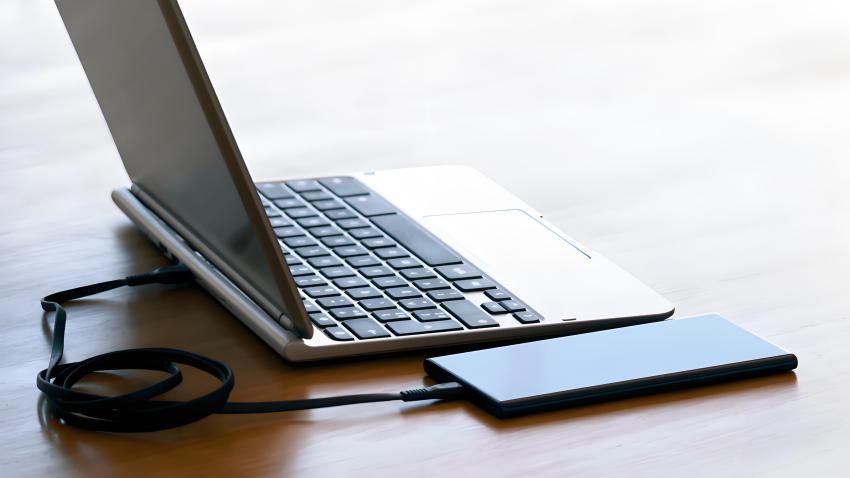
Charging your phone through a laptop’s USB port is a common practice, especially when a wall charger is not available. However, this raises a question: does charging your phone in a laptop USB port damage frames? To answer this, we need to explore the implications of using a laptop’s USB port for charging, the potential risks involved, and the overall impact on both devices. Understanding these factors can help users make informed decisions about their charging habits and ensure the longevity of their devices.
Table of Contents
Understanding USB Charging
What is USB Charging?
USB (Universal Serial Bus) charging is a method of supplying power to devices through a USB connection. This technology allows for the transfer of power and data between devices, making it a versatile option for charging smartphones, tablets, and other gadgets. USB ports on laptops typically provide a lower voltage and current compared to dedicated wall chargers. This difference in power output is crucial to understand, as it affects how quickly and efficiently devices charge. The convenience of USB charging has made it a standard practice, but it is essential to recognize the limitations and capabilities of this method.
How Does Charging Work?
When you connect your phone to a laptop via USB, the laptop supplies power to the phone’s battery. The charging speed can vary based on the USB port’s specifications. For instance, USB 2.0 ports generally provide 0.5 amps, while USB 3.0 ports can supply up to 0.9 amps. Newer USB standards, like USB-C, can deliver even higher power levels, allowing for faster charging. This variability means that not all charging experiences are the same; some users may find their devices charge quickly, while others may experience slower charging times. Understanding these differences can help users choose the best charging method for their needs.
Potential Risks of Charging Your Phone via Laptop USB
Damage to the Phone
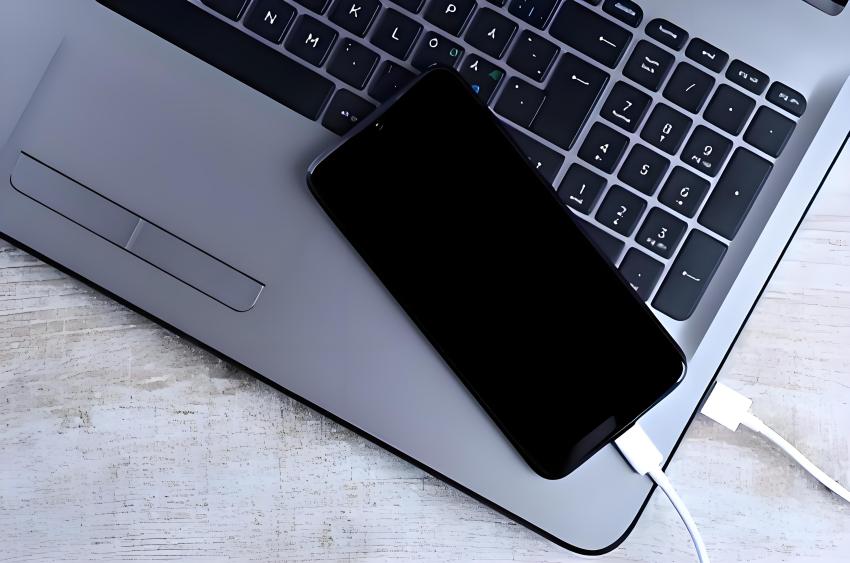
Charging your phone through a laptop USB port is generally safe, but there are some risks to consider. If the laptop’s USB port is damaged or malfunctioning, it could potentially harm the phone’s charging port or battery. Additionally, using a low-quality USB cable can lead to overheating or short-circuiting, which may damage the phone. It is crucial to inspect both the cable and the ports regularly to ensure they are in good condition. Users should also be aware of the signs of damage, such as frayed cables or loose connections, which can pose safety risks during charging.
Impact on Laptop Performance
While charging your phone through a laptop USB port does not directly damage the laptop, it can affect its performance. When a device is connected and drawing power, it can increase the laptop’s workload, especially if multiple devices are connected simultaneously. This could lead to slower performance or increased heat generation. Users may notice their laptops running hotter or experiencing lag when charging multiple devices at once. Being mindful of how many devices are connected can help mitigate these performance issues and ensure that the laptop operates efficiently.
Battery Health Concerns
Charging your phone from a laptop may not be as efficient as using a wall charger. The lower power output can result in longer charging times, which might lead to the phone’s battery being in a partially charged state for extended periods. This can potentially affect the battery’s overall health over time. Lithium-ion batteries, commonly used in smartphones, perform best when kept between 20% and 80% charge. Prolonged exposure to low charge levels can lead to battery degradation, making it essential for users to consider their charging habits and choose the most effective methods for maintaining battery health.
Best Practices for Charging Your Phone via Laptop USB
Use Quality Cables
Always use high-quality, certified USB cables to connect your phone to the laptop. Poor-quality cables can lead to inefficient charging and may pose safety risks. Investing in reputable brands can ensure that the cables are designed to handle the power requirements of your devices. Additionally, users should avoid using damaged cables, as they can cause short circuits or overheating, leading to potential hazards during charging.
Monitor Charging Conditions
Keep an eye on the charging process. If you notice excessive heat or any unusual behavior from either the laptop or the phone, disconnect them immediately. This can help prevent potential damage. Users should also be aware of their surroundings while charging; for example, charging on soft surfaces like beds or couches can block ventilation and lead to overheating. Ensuring that both devices have adequate airflow can help maintain safe operating temperatures during charging.
Avoid Overloading USB Ports
If you are charging multiple devices at once, be mindful of the total power draw on the laptop’s USB ports. Overloading the ports can lead to performance issues or even hardware damage. Users should check the specifications of their laptop to understand the maximum power output of each USB port and plan their charging accordingly. Distributing the charging load across multiple ports can help prevent overheating and ensure that each device receives adequate power.
Charge When Necessary
If possible, use a wall charger for regular charging needs. Reserve laptop charging for situations where a wall outlet is not available. This can help maintain the health of both the phone and the laptop. Users should also consider the charging environment; for instance, charging in a cool, dry place can help prevent overheating and prolong the lifespan of both devices. By being strategic about when and how they charge their devices, users can optimize performance and battery health.
Conclusion
In summary, charging your phone in a laptop USB port does not inherently damage frames or components of either device. However, there are potential risks involved, particularly concerning the quality of the USB connection and the overall power management of the laptop. By following best practices and being mindful of the charging process, you can safely charge your phone without significant concerns. Understanding the nuances of USB charging can empower users to make informed decisions that enhance the longevity and performance of their devices.
How to purchase:https://looperbuy.com/search?keywords=Charging+Phone+in+Laptop+USB
Related Questions and Answers
1. Is it safe to charge my phone with a laptop?
Yes, it is generally safe to charge your phone with a laptop, but ensure you use quality cables and monitor the charging process.
2. Does charging from a laptop take longer than a wall charger?
Yes, charging from a laptop typically takes longer due to lower power output compared to wall chargers.
3. Can charging my phone from a laptop damage the battery?
While it is unlikely to damage the battery, prolonged charging at lower power levels can affect battery health over time.
4. What should I do if my phone gets hot while charging from a laptop?
Disconnect the phone immediately and allow it to cool down. Check the cable and port for any damage.
5. Are there any benefits to charging my phone from a laptop?
Charging from a laptop can be convenient when a wall charger is not available, and it allows for data transfer while charging.