Table of Contents
Introduction: More Than a Stand—A Productivity Partner
In an era where tablets have evolved into all-in-one workhorses, the humble iPad has transcended its role as a entertainment device to become a cornerstone of modern productivity. Whether you’re drafting reports, editing photos, or hosting virtual meetings, a reliable iPad computer stand transforms your device from a handheld tool into a desktop-worthy workstation. But with countless options flooding the market, how do you choose the right one? This article dives into the design, functionality, and practical considerations of iPad stands, helping you find the perfect partner for your digital workflow.
Design & Materials: Balancing Form and Function
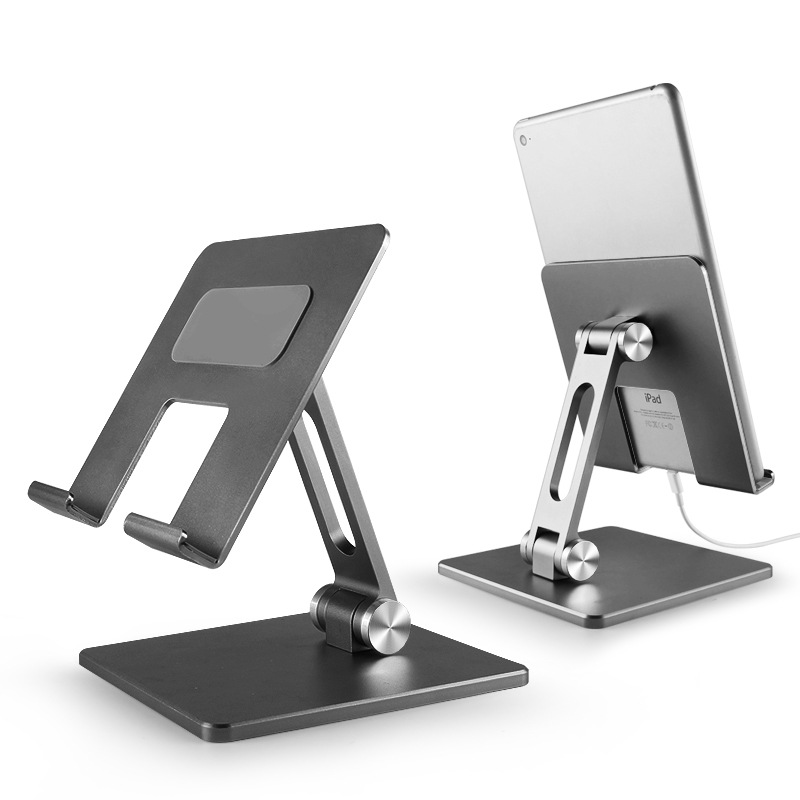
An iPad stand’s design is more than just aesthetics—it directly impacts usability, stability, and portability. Here’s what to look for:
1. Ergonomic Adjustability
The best stands prioritize human-centric design, allowing you to adjust the iPad’s angle, height, and tilt to suit your posture. Key features include:
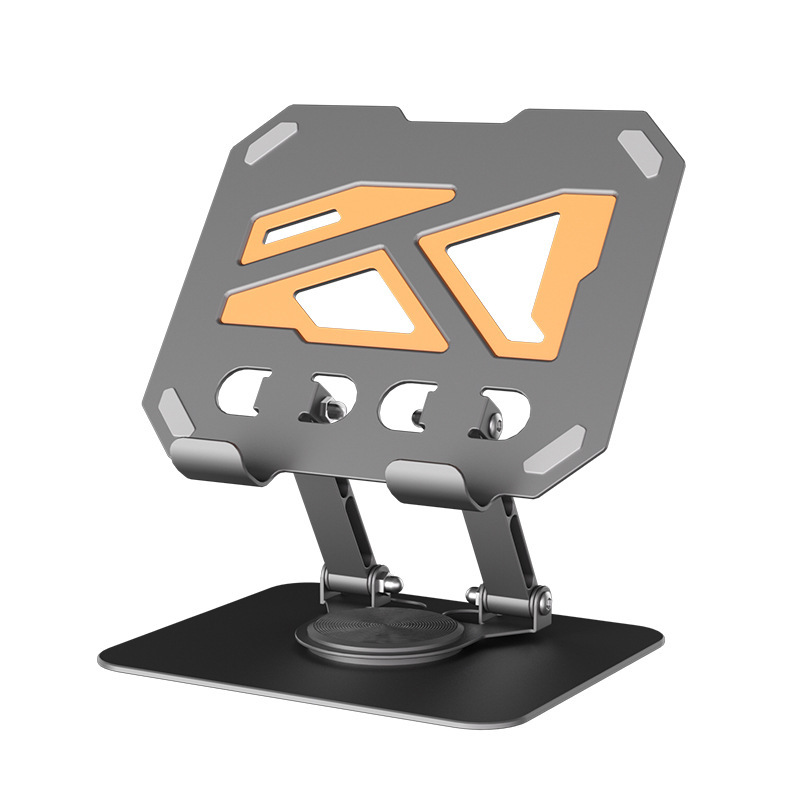
- Multi-Angle Rotation: Look for stands with 360° swivel bases or telescoping arms that let you pivot the iPad from portrait to landscape mode. This is critical for video calls (landscape) or note-taking (portrait).
- Height Adjustment: A telescoping or collapsible stand that extends from 6–12 inches ensures you can position the iPad at eye level, reducing neck strain during long work sessions.
- Tilt Control: Some stands feature a “tilt lock” mechanism, keeping the iPad at a fixed angle (e.g., 45°) for hands-free use—ideal for watching movies or following tutorials.
2. Material Durability
The material determines both longevity and user experience:
- Aluminum Alloy: Lightweight yet sturdy, aluminum stands (e.g., 6061-T6) resist bending and corrosion. They’re a top choice for professionals seeking a balance of portability and durability.
- Silicone/TPU: Soft, grippy materials like silicone or thermoplastic polyurethane (TPU) protect the iPad’s edges from scratches. They’re popular for travel stands, as they absorb shocks during transit.
- Plastic (ABS/PET): Budget-friendly options, but less durable than metal or silicone. Look for reinforced plastic stands with metal accents for added strength.
3. Compactness & Portability
For users on the go, a foldable or slim-profile stand is essential. Many modern stands collapse into a pocket-sized pouch (e.g., 3×3 inches when folded), making them easy to toss into a backpack or laptop bag.
Core Functions: Beyond Just Holding Your iPad
An iPad computer stand is more than a physical support—it enhances your workflow with features tailored to modern needs:
1. Multi-Device Compatibility
Many stands aren’t just for iPads. Look for models that accommodate other devices like iPhones, Kindles, or even small laptops (via adjustable slots). This versatility makes them a worthwhile investment for users with multiple gadgets.
2. Cooling & Ventilation
Intensive tasks like video editing or gaming can heat up your iPad. High-quality stands often include ventilated bases (perforated aluminum or mesh) to improve airflow, preventing throttling and prolonging battery life.

3. Keyboard & Accessory Integration
For users who pair their iPad with a Bluetooth keyboard or trackpad, stands with built-in keyboard trays or accessory slots keep your setup organized. Some even include a mouse pad area, transforming your iPad into a mini-desktop.
4. Magnetic or Clamp-On Mounts
For hands-free use (e.g., cooking, crafting), stands with strong magnetic bases or spring-loaded clamps secure the iPad to surfaces like desks, fridges, or car dashboards. This is a game-changer for multitaskers.
Application Scenarios: Adapting to Your Lifestyle
iPad stands aren’t one-size-fits-all—they thrive in diverse environments. Here’s how to match a stand to your daily routine:
1. Home Office/Remote Work
- Need: Stable, adjustable support for long hours of typing, video calls, or spreadsheet work.
- Best Stand: A metal, telescoping stand with height adjustment (10–12 inches) and a tiltable platform. Brands like Ugreen or Baseus offer models with built-in cable management to keep cords tidy.
2. Travel & On-the-Go
- Need: Lightweight, compact, and protective.
- Best Stand: A silicone or TPU foldable stand that fits in a pocket. Moshi or Incipio make popular travel stands with shock-absorbing edges.
3. Creative Work (Art/Design)
- Need: A stable surface for drawing, painting, or editing photos.
- Best Stand: A large, rigid stand with a non-slip base (e.g., rubberized aluminum) and a tiltable angle (30–60°) to reduce wrist strain. Wacom or XP-Pen offer artist-focused stands.
4. Entertainment & Media Consumption
- Need: A stand that angles the iPad for optimal viewing (e.g., 45° for movies, 30° for reading).
- Best Stand: A sleek, minimalist design with a fixed tilt angle. Amazon Basics or Belkin have affordable options with soft-touch finishes.

Buying Guide: Key Considerations
Choosing the right iPad stand depends on your lifestyle, budget, and device specifics. Here’s a checklist to guide your decision:
1. iPad Model Compatibility
Ensure the stand supports your iPad’s size (e.g., 10th-gen 10.9” vs. 12.9” Pro) and weight. Most stands list compatible models, but double-check for newer iPads (e.g., M1/M2 chips) to avoid fit issues.
2. Usage Frequency
- Daily Use: Invest in a durable metal stand with ergonomic adjustments.
- Occasional Use: A budget plastic or silicone stand suffices.
3. Budget
Stands range from 10 (basic plastic) to 50+ (premium metal with cooling). Prioritize quality over price—investing in a sturdy stand saves money long-term by protecting your iPad.
4. Additional Features
- Cable Management: Look for built-in slots or hooks to keep charging cords organized.
- Cooling Vents: Essential for heavy users to prevent overheating.
- Magnetic Mount: Useful for hands-free tasks.
5. Brand Reputation
Stick to trusted brands like Ugreen, Baseus, Moshi, or Belkin, which offer warranties and reliable customer support.
Conclusion: Elevate Your iPad Experience
An iPad computer stand is more than a simple accessory—it’s a tool that transforms your device into a versatile, ergonomic workspace. By prioritizing adjustability, durability, and compatibility, you can find a stand that enhances your productivity, creativity, and comfort. Whether you’re working from home, traveling, or simply enjoying media, the right stand turns your iPad into a cornerstone of your daily routine.
How to purchase: https://looperbuy.com/search?keywords=ipad+computer+stand&globalType=1688
Common Questions About iPad Stands
1. Will an iPad stand damage my device? No—reputable stands are designed with non-slip, scratch-resistant materials. Avoid cheap plastic stands with sharp edges, which may chip the iPad’s frame.
2. Can I use an iPad stand with a smart cover? Yes—most stands accommodate smart covers. Look for models with a cutout or raised edge to prevent the cover from interfering with the stand’s grip.
3. Do I need a stand if I use my iPad in bed? A stand is optional, but it improves ergonomics. Opt for a soft, flexible stand (silicone) to avoid discomfort if you lie in bed.
4. Are wireless charging stands worth it? Yes—if your iPad supports wireless charging (e.g., 12.9” iPad Pro). They eliminate cord clutter, but ensure the stand’s charging pad is Qi-certified for safety.
5. How do I clean an iPad stand? Wipe it with a microfiber cloth and mild soap. Avoid harsh chemicals that could damage the material (e.g., alcohol on silicone).
Hot Tags: iPad computer stand; Tablet stand; Ergonomic iPad stand; Portable iPad stand; Multi-device stand; Cooling iPad stand; Magnetic iPad stand; Artist iPad stand; Budget iPad stand; Wireless charging stand