In the world of computer hardware, the terms “SATA” and “data cables” are frequently mentioned, yet many users may not fully understand their significance or functionality. This article aims to demystify these components, exploring their roles, types, and importance in modern computing. Understanding these elements is crucial for anyone looking to build, upgrade, or troubleshoot a computer system, as they form the backbone of data transfer between storage devices and the motherboard.
Table of Contents
Understanding SATA Cables
What is SATA?
SATA, or Serial Advanced Technology Attachment, is a standard interface used to connect storage devices like hard drives and solid-state drives to a computer’s motherboard. Introduced in the early 2000s, SATA has largely replaced the older PATA (Parallel ATA) standard due to its superior speed and efficiency. SATA cables are designed to facilitate the transfer of data between the storage device and the motherboard, ensuring that information is transmitted quickly and reliably. The transition from PATA to SATA marked a significant advancement in data transfer technology, allowing for thinner cables, improved airflow within computer cases, and the ability to connect multiple devices more easily.
Types of SATA Cables
SATA cables come in various types, each serving specific purposes. The most common types include:
SATA Data Cables
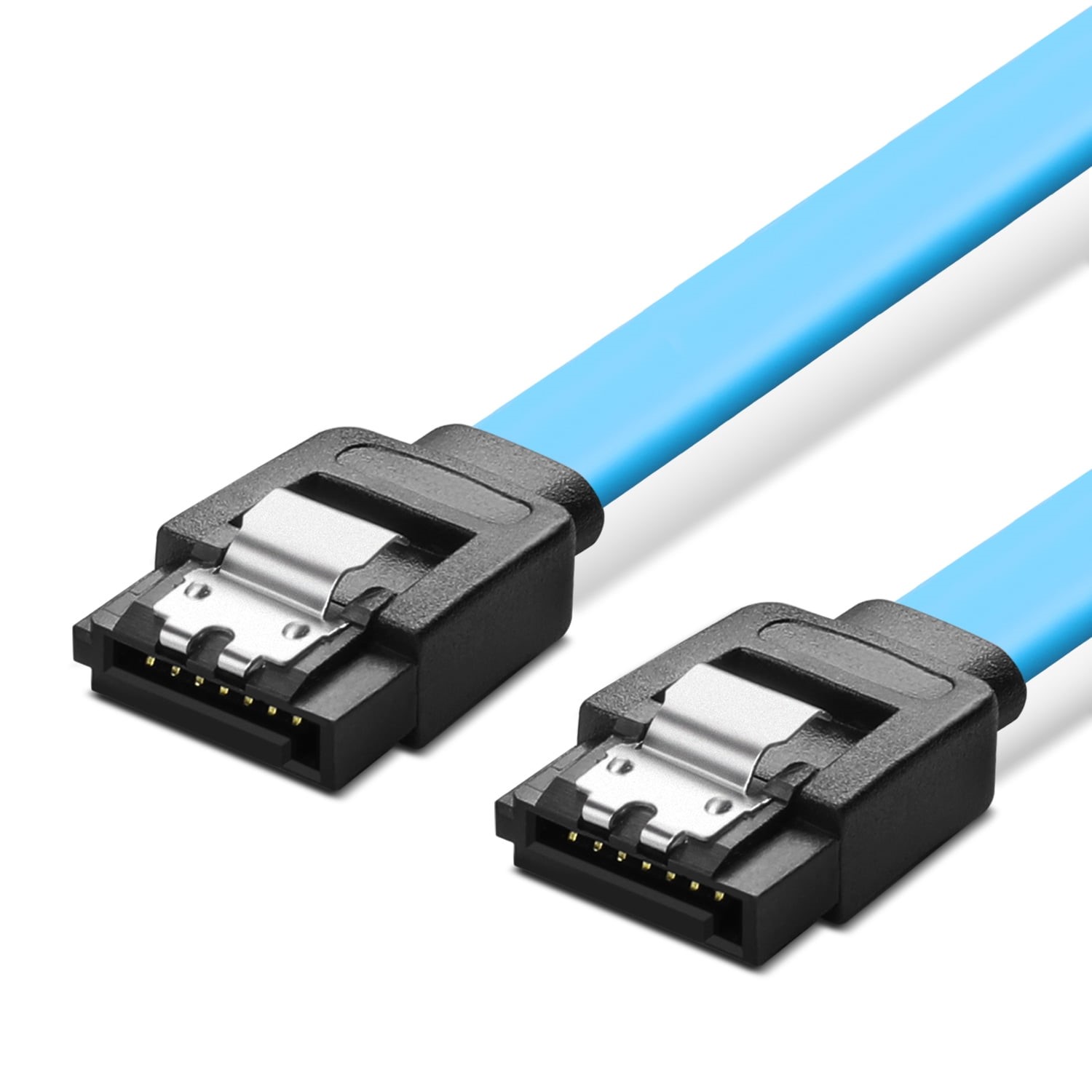
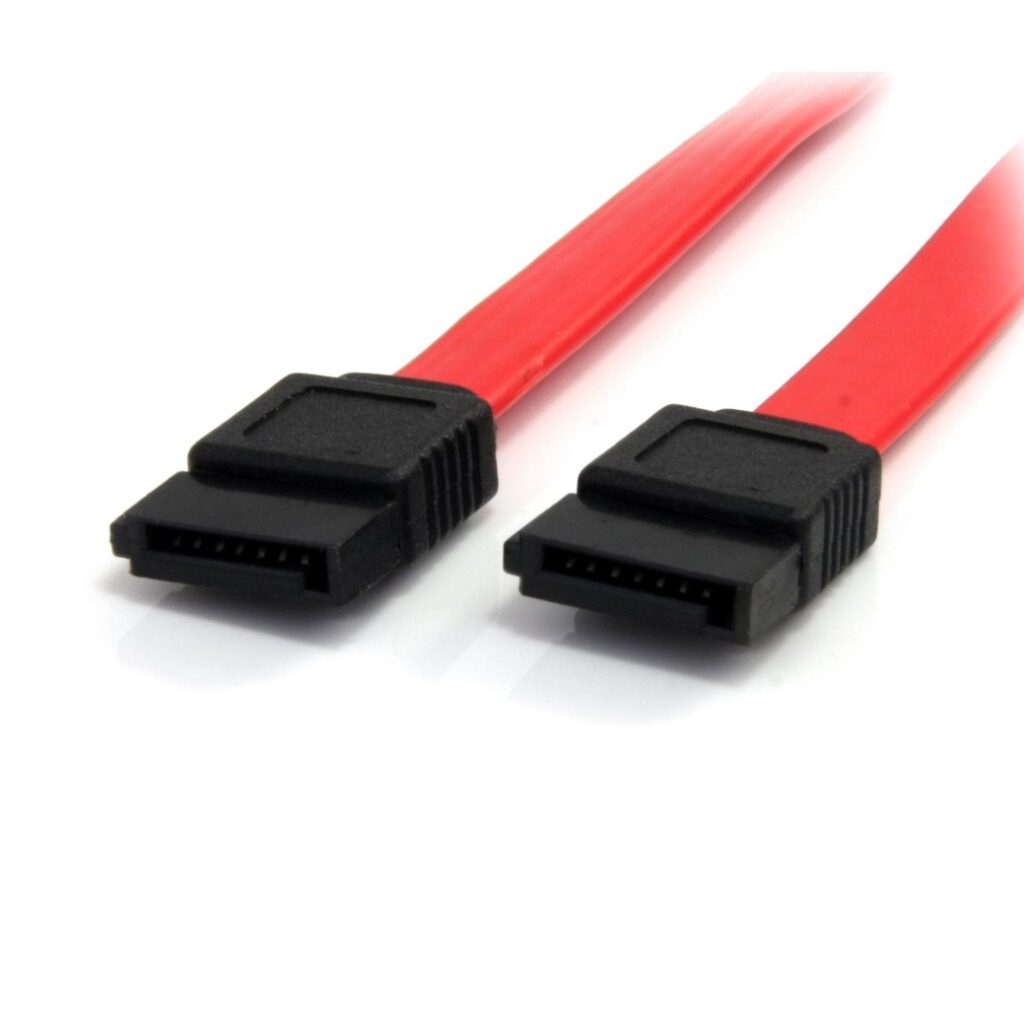
These cables are primarily used to connect storage devices to the motherboard. They typically feature a 7-pin connector on each end, allowing for a secure connection. SATA data cables are available in different lengths, accommodating various setups within a computer case. The design of these cables minimizes interference and maximizes data integrity, which is essential for maintaining the performance of high-speed storage devices. Additionally, the flexibility of SATA data cables allows for easier routing within the case, contributing to better overall system organization.
SATA Power Cables
While data cables handle the transfer of information, SATA power cables provide the necessary electrical power to the storage devices. These cables usually have a 15-pin connector and are essential for the operation of SATA drives. The power cables are designed to deliver stable voltage and current to the drives, ensuring they operate efficiently. Without a proper power connection, even the fastest data cables would be ineffective, as the drives would not function at all. Understanding the role of power cables is crucial for anyone assembling or upgrading a computer.
Combo Cables
Some manufacturers offer combo cables that integrate both data and power connections into a single cable. This can simplify cable management within a computer case, reducing clutter and improving airflow. Combo cables are particularly useful in compact builds where space is at a premium, allowing for a cleaner and more organized setup. However, users should ensure that these combo cables meet the necessary specifications for both data transfer and power delivery to avoid any performance issues.
SATA Cable Versions
SATA technology has evolved over the years, leading to several versions, each offering improved performance:
– SATA I: The original version, supporting data transfer rates of up to 1.5 Gbps. While this was a significant improvement over PATA, it quickly became outdated as technology advanced.
– SATA II: An upgrade that doubles the transfer rate to 3 Gbps. This version introduced features like Native Command Queuing (NCQ), which improved the efficiency of data retrieval.
– SATA III: The current standard, capable of speeds up to 6 Gbps, making it suitable for modern SSDs and high-performance HDDs. SATA III also supports advanced features such as hot swapping, allowing users to replace drives without shutting down the system.
Understanding these versions is essential for users looking to maximize their system’s performance. Using the appropriate SATA version for your devices ensures that you can take full advantage of their capabilities.
The Importance of Data Cables
Why Are Data Cables Essential?
Data cables are crucial for the functionality of any computer system. They ensure that data can be transferred between the motherboard and storage devices efficiently. Without these cables, a computer would be unable to read or write data to its drives, rendering it inoperable. The reliability of data cables directly impacts the overall performance of the system, as any interruptions in data flow can lead to errors, crashes, or data loss. Therefore, investing in high-quality data cables is essential for maintaining a stable and efficient computing environment.
Performance Considerations
The quality of data cables can significantly impact system performance. High-quality SATA cables can reduce data transfer errors and improve overall reliability. Additionally, using the correct version of SATA cable for your devices is essential to achieve optimal speeds. For instance, using a SATA III cable with a SATA III SSD will ensure that you can take full advantage of the drive’s capabilities. Poor-quality cables may introduce latency or data corruption, which can hinder the performance of even the fastest storage devices. Therefore, users should prioritize quality when selecting SATA cables to ensure their systems operate at peak efficiency.
Choosing the Right SATA and Data Cables
Factors to Consider
When selecting SATA and data cables, several factors should be taken into account:
– Length: Ensure that the cable is long enough to reach from the motherboard to the storage device without excessive tension. Cables that are too short can lead to strain on connectors, while excessively long cables can create clutter and impede airflow.
– Quality: Look for cables that are well-constructed, with sturdy connectors and shielding to prevent interference. High-quality materials can enhance durability and performance, reducing the likelihood of data transfer issues.
– Compatibility: Verify that the cable is compatible with your specific devices and motherboard. Different devices may have varying requirements, and using the wrong cable can lead to performance bottlenecks or connection failures.
By considering these factors, users can make informed decisions that enhance their system’s performance and longevity.
Where to Buy SATA and Data Cables
SATA and data cables can be purchased from various retailers, both online and in physical stores. Popular options include electronics stores, computer hardware retailers, and online marketplaces. It’s advisable to compare prices and read reviews to ensure you are getting a good quality product. Additionally, purchasing from reputable brands can provide peace of mind regarding the reliability and performance of the cables. Many online retailers also offer customer reviews and ratings, which can help guide your purchasing decisions.
Common Issues with SATA and Data Cables
Cable Damage
Over time, SATA cables can become damaged due to wear and tear. This can lead to data transfer issues, including slow speeds or complete failure to recognize the connected device. Regularly inspecting cables for signs of damage is a good practice. Users should look for frayed wires, bent connectors, or any visible wear that could affect performance. If any damage is detected, replacing the cable promptly can prevent further issues and ensure the system remains operational.
Connection Problems
Improperly seated connectors can also cause issues. It’s essential to ensure that both ends of the cable are securely connected to the motherboard and the storage device. If a device is not recognized, checking the connections should be the first troubleshooting step. Loose connections can lead to intermittent data transfer problems, which can be frustrating and time-consuming to diagnose. Ensuring a snug fit can help maintain a stable connection and prevent data loss.
Compatibility Issues
Using the wrong type of cable can lead to performance bottlenecks. For example, connecting a SATA III SSD with a SATA I cable will limit the drive’s performance to the lower speed of the cable. Always ensure that the cable matches the specifications of your devices. Additionally, some motherboards may have specific requirements for cable types or configurations, so consulting the motherboard manual can provide valuable guidance.
Conclusion
SATA and data cables play a vital role in the functionality of modern computers. Understanding their types, importance, and how to choose the right ones can significantly enhance your computing experience. As technology continues to evolve, staying informed about these components will help you make better decisions regarding your hardware setup. Whether you are building a new system, upgrading existing components, or troubleshooting issues, having a solid grasp of SATA and data cables will empower you to optimize your computer’s performance effectively.
How to purchase:https://looperbuy.com/search?keywords=SATA+and+Data+Cables
Frequently Asked Questions
1.What is the difference between SATA data cables and power cables?
SATA data cables are used to transfer data between the storage device and the motherboard, while SATA power cables provide the necessary electrical power to the storage devices.
2.Can I use a SATA II cable with a SATA III device?
Yes, SATA cables are backward compatible. However, using a SATA II cable with a SATA III device will limit the device’s performance to SATA II speeds.
3.How do I know if my SATA cable is damaged?
Signs of damage include frayed wires, bent connectors, or intermittent connection issues. If you experience data transfer problems, inspect the cable for visible damage.
4.What length SATA cable should I buy?
Choose a length that allows for a comfortable connection without excessive tension. Measure the distance from the motherboard to the storage device to determine the appropriate length.
5.Are there any performance differences between different brands of SATA cables?
Yes, the quality of materials and construction can affect performance. Higher-quality cables may offer better shielding and durability, leading to improved data transfer reliability.