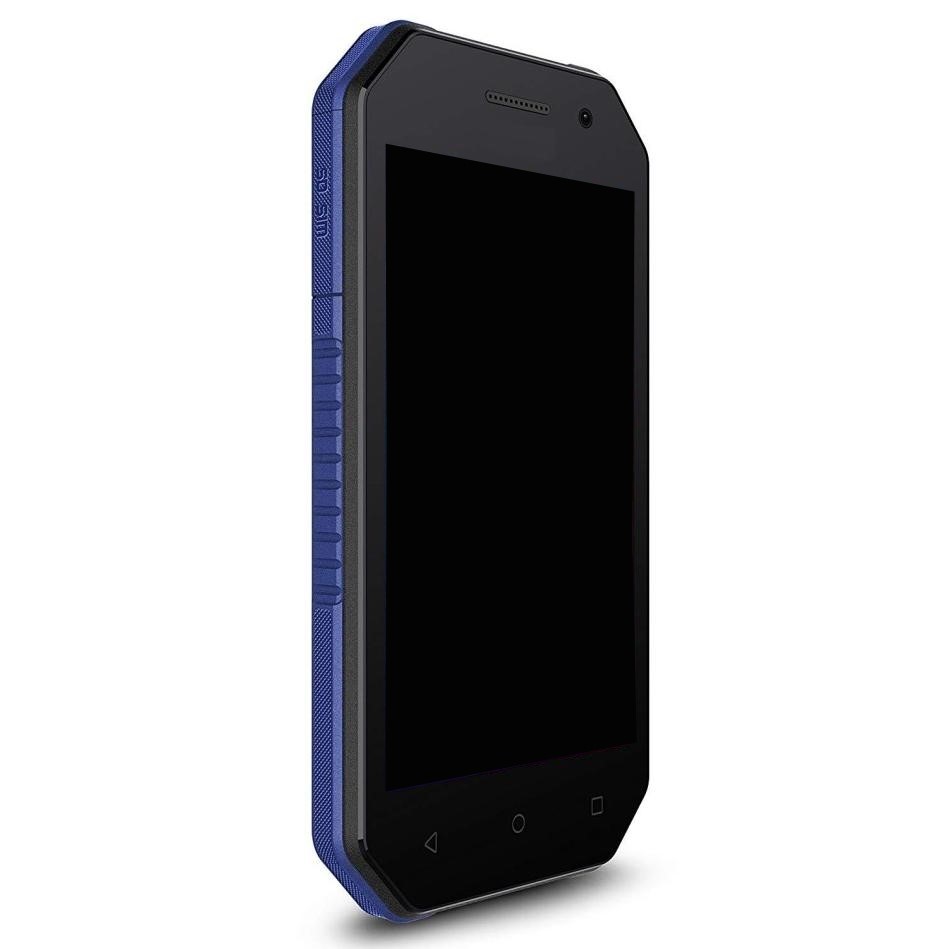
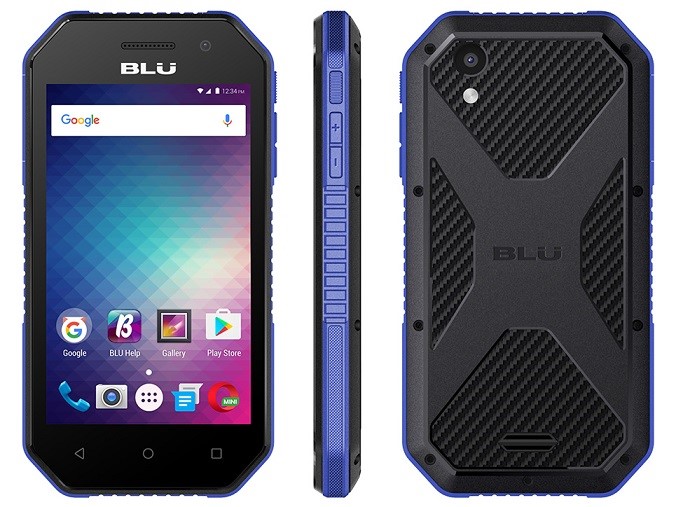
The Blu Tank Xtreme 4.0 is a rugged smartphone designed for durability and functionality, making it an ideal choice for users who lead active lifestyles or work in demanding environments. One of the essential features of any smartphone is its charging port, which plays a crucial role in keeping the device powered. In this article, we will explore the charging port of the Blu Tank Xtreme 4.0, how it functions, and the various aspects related to charging this device, including troubleshooting common issues and tips for maintenance.
Table of Contents
Understanding the Charging Port of the Blu Tank Xtreme 4.0
The charging port on the Blu Tank Xtreme 4.0 is a micro USB port, a standard connector used in many smartphones and devices. This port allows users to connect a charger to the phone, enabling it to recharge its battery. The micro USB port is known for its compact size and ease of use, making it a popular choice for mobile devices. Its design ensures that it can withstand frequent plugging and unplugging, which is essential for users who may need to charge their devices multiple times a day. Additionally, the micro USB standard has been widely adopted, meaning that users can often find compatible chargers and cables readily available.
The Importance of the Charging Port
The charging port is vital for several reasons. First, it provides a direct connection to a power source, allowing the battery to recharge efficiently. This is particularly important for smartphones like the Blu Tank Xtreme 4.0, which may be used extensively throughout the day for various tasks, including communication, navigation, and entertainment. Second, it enables data transfer between the phone and other devices, such as computers. This dual functionality makes the charging port an essential component of the smartphone, as it not only powers the device but also facilitates the transfer of files, updates, and backups. Understanding the significance of the charging port can help users appreciate the technology behind their devices and the importance of maintaining it.
How to Charge the Blu Tank Xtreme 4.0
Charging the Blu Tank Xtreme 4.0 is a straightforward process. Users need to connect a compatible micro USB charger to the charging port. Once connected, the phone will begin to charge, and users can monitor the charging status on the screen. It is important to use a charger that meets the specifications of the device to ensure safe and efficient charging. Using the original charger that came with the device is often recommended, as it is designed to provide the optimal voltage and current for the Blu Tank Xtreme 4.0. Additionally, users should avoid using damaged or frayed cables, as these can pose safety risks and may not charge the device effectively.
Common Issues with the Charging Port
While the charging port is designed for durability, users may encounter some common issues over time. Understanding these issues can help in troubleshooting and maintaining the device, ensuring that it remains functional and reliable.
Dirt and Debris Accumulation
One of the most common problems with charging ports is the accumulation of dirt and debris. Over time, dust, lint, and other particles can build up in the port, preventing a proper connection between the charger and the phone. This can lead to intermittent charging or the device not charging at all. Regularly cleaning the charging port with a soft brush or compressed air can help maintain a good connection. Users should be cautious when cleaning the port to avoid damaging the internal components. A clean charging port not only ensures efficient charging but also prolongs the lifespan of the device.
Loose Connections
Another issue that users may face is a loose connection. If the charging cable does not fit snugly into the port, it may not charge the device effectively. This can be caused by wear and tear on the port or the cable itself. In such cases, it may be necessary to replace the charging cable or have the port inspected by a professional. Users should also ensure that they are using the correct cable for their device, as using incompatible cables can lead to poor connections and charging issues. Regularly checking the condition of the charging cable and port can help prevent these problems from arising.
Charging Port Damage
Physical damage to the charging port can also occur, especially in rugged devices like the Blu Tank Xtreme 4.0. If the port is bent, broken, or otherwise compromised, it may need to be repaired or replaced. Users should handle their devices with care to avoid such damage, especially in environments where the phone may be subjected to drops or impacts. If users notice any signs of damage, such as difficulty inserting the charger or visible cracks around the port, they should seek professional assistance to avoid further complications.
Alternative Charging Methods
In addition to using a standard charger, there are alternative methods to charge the Blu Tank Xtreme 4.0. These methods can be useful in situations where a traditional charger is not available, providing users with flexibility and convenience.
Wireless Charging
While the Blu Tank Xtreme 4.0 does not support wireless charging natively, users can explore third-party solutions that may offer this functionality. Wireless charging pads can provide a convenient way to charge the device without needing to plug in a cable. Users should ensure that any wireless charging solution they consider is compatible with their device to avoid potential issues. Wireless charging can be particularly useful for users who prefer a cable-free experience or for those who frequently use their phones while charging.
Power Banks
Power banks are portable battery packs that can charge devices on the go. Users can connect their Blu Tank Xtreme 4.0 to a power bank using a micro USB cable, allowing for charging without access to a wall outlet. This is particularly useful for outdoor activities, travel, or situations where power sources are limited. When selecting a power bank, users should consider the capacity and output specifications to ensure that it can provide sufficient power for their device. A high-capacity power bank can be a lifesaver during long trips or outdoor adventures.
Car Chargers
For those who spend a lot of time in their vehicles, a car charger can be a practical solution. These chargers plug into the car’s power outlet and provide a way to charge the Blu Tank Xtreme 4.0 while on the road. Car chargers are available in various styles and power outputs, allowing users to choose one that meets their needs. Using a car charger can help ensure that the device remains charged during long drives, making it easier to use navigation apps or stay connected while traveling.
Tips for Maintaining the Charging Port
To ensure the longevity and functionality of the charging port on the Blu Tank Xtreme 4.0, users can follow some simple maintenance tips. These practices can help prevent common issues and extend the life of the device.
Regular Cleaning
As mentioned earlier, keeping the charging port clean is essential. Users should periodically check for dirt and debris and clean the port as needed. This simple step can prevent many charging issues. Using a soft brush or compressed air can effectively remove buildup without damaging the port. Users should also avoid inserting foreign objects into the port, as this can cause damage and lead to costly repairs.
Use Quality Chargers
Using high-quality chargers and cables is crucial for the health of the charging port. Cheap or incompatible chargers can cause damage to the port or the device itself. It is advisable to use chargers that are certified for use with the Blu Tank Xtreme 4.0. Investing in quality accessories can enhance the charging experience and reduce the risk of damage. Users should also be cautious when purchasing third-party accessories, ensuring they come from reputable manufacturers.
Avoid Overcharging
Overcharging can lead to battery degradation over time. Users should unplug their devices once they reach a full charge to maintain battery health. Many modern smartphones, including the Blu Tank Xtreme 4.0, have built-in mechanisms to prevent overcharging, but it is still a good practice to monitor charging habits. Users can set reminders to unplug their devices or use smart chargers that automatically stop charging when the battery is full. Maintaining proper charging habits can significantly extend the lifespan of the battery and the device.
Conclusion
The charging port on the Blu Tank Xtreme 4.0 is a critical component that ensures the device remains powered and functional. Understanding how it works, common issues, and maintenance tips can help users get the most out of their smartphones. By taking care of the charging port and using quality accessories, users can enjoy a reliable charging experience. The Blu Tank Xtreme 4.0 is designed to withstand the rigors of daily use, and with proper care, it can continue to perform well for years to come.
How to purchase:https://looperbuy.com/search?keywords=Charging+Port+Work+on+the+Blu+Tank+Xtreme+4.0
Related Questions and Answers
1. What type of charger does the Blu Tank Xtreme 4.0 use?
The Blu Tank Xtreme 4.0 uses a micro USB charger, which is a common standard for many devices.
2. Can I charge my Blu Tank Xtreme 4.0 with a wireless charger?
The Blu Tank Xtreme 4.0 does not support wireless charging natively, but third-party solutions may be available for this functionality.
3. How can I clean the charging port of my Blu Tank Xtreme 4.0?
You can clean the charging port using a soft brush or compressed air to remove dirt and debris, ensuring a good connection.
4. What should I do if my charging port is damaged?
If the charging port is damaged, it may need to be repaired or replaced by a professional technician to avoid further issues.
5. Is it safe to use a power bank to charge my Blu Tank Xtreme 4.0?
Yes, using a power bank is a safe and convenient way to charge your Blu Tank Xtreme 4.0 on the go, especially during travel or outdoor activities.