In today’s digital age, transferring data between devices has become a common necessity. One of the most efficient ways to achieve this is through a USB to USB data transfer cable. This article will explore what a USB to USB data transfer cable is, how it works, its benefits, and practical applications. Understanding these aspects can help you make informed decisions about your data transfer needs and enhance your overall digital experience.
Table of Contents
Understanding USB to USB Data Transfer Cables
What Is a USB to USB Data Transfer Cable?
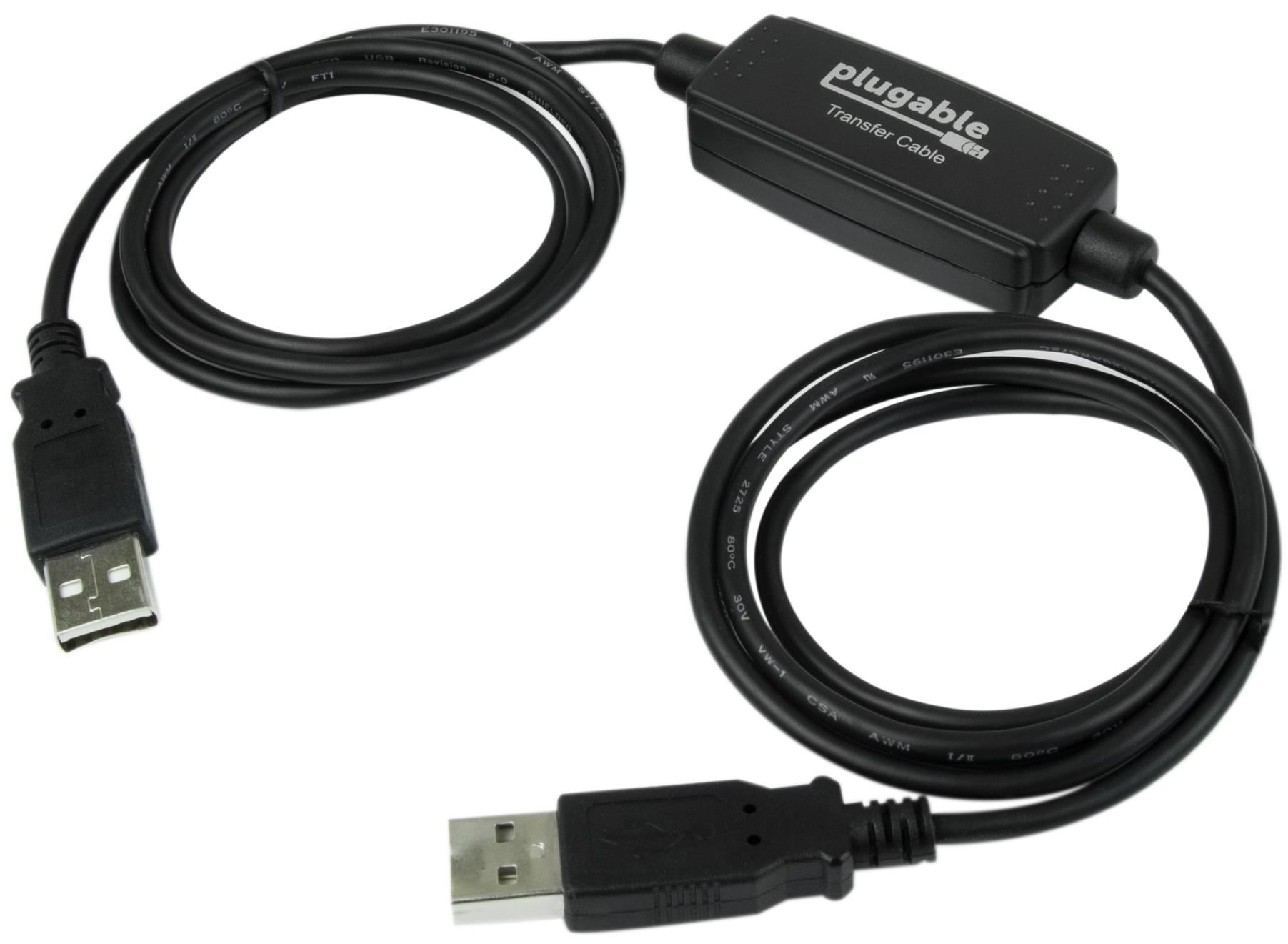
A USB to USB data transfer cable is a specialized cable designed to connect two devices directly for the purpose of transferring data. Unlike standard USB cables, which are typically used for charging or connecting peripherals, data transfer cables often include a built-in chip that facilitates the transfer process. This chip allows for a direct connection between two computers or devices, enabling them to communicate and share files seamlessly. This direct connection is particularly useful for users who need to transfer large amounts of data quickly and efficiently, bypassing the slower methods of data transfer that involve intermediary devices or cloud services.
Types of USB to USB Data Transfer Cables
There are several types of USB to USB data transfer cables available on the market. The most common types include:
– USB 2.0 Cables: These cables support data transfer speeds of up to 480 Mbps. They are suitable for basic file transfers and are often more affordable. USB 2.0 cables are widely used and compatible with many devices, making them a popular choice for everyday data transfer tasks.
– USB 3.0 Cables: Offering speeds up to 5 Gbps, USB 3.0 cables are ideal for transferring large files quickly. They are backward compatible with USB 2.0 devices, which means you can use them with older devices without any issues. The increased speed of USB 3.0 cables makes them particularly advantageous for users who frequently work with high-resolution videos, large databases, or extensive photo collections.
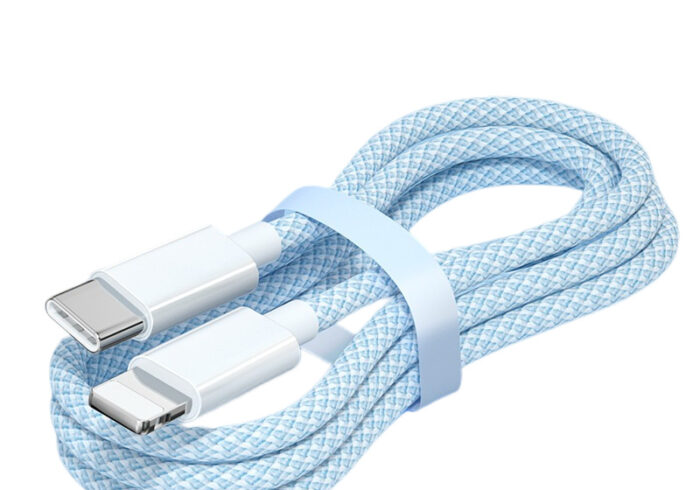
– USB-C Cables: These are the latest standard in USB technology, providing faster data transfer rates and the ability to connect to a wider range of devices, including smartphones and laptops. USB-C cables are reversible, meaning they can be plugged in either way, which adds to their convenience. As more devices adopt the USB-C standard, these cables are becoming increasingly essential for modern data transfer needs.
How Does a USB to USB Data Transfer Cable Work?
The Mechanism Behind Data Transfer
When you connect two devices using a USB to USB data transfer cable, the built-in chip in the cable establishes a communication link between the two devices. This chip manages the data transfer process, ensuring that files are sent and received correctly. The process typically involves the following steps:
1. Connection: Plug the USB connectors into the respective devices. This initial step is straightforward, as most USB ports are designed for easy access.
2. Recognition: The devices recognize the connection and initiate the data transfer protocol. This recognition process is usually automatic, allowing users to start transferring files almost immediately.
3. Transfer: Files can be dragged and dropped between the devices, or specific software may be used to facilitate the transfer. Many cables come with user-friendly software that simplifies this process, making it accessible even for those who may not be tech-savvy.
4. Completion: Once the transfer is complete, the devices will notify the user, and the connection can be safely disconnected. This final step ensures that all data has been successfully transferred and that the devices can be safely unplugged without risking data corruption.
Software Requirements
Many USB to USB data transfer cables come with accompanying software that simplifies the transfer process. This software often provides a user-friendly interface for managing files and may include additional features such as backup options and file synchronization. Some software solutions also allow users to schedule regular backups or transfers, making it easier to keep data organized and secure. Additionally, the software may offer troubleshooting tools to help resolve any issues that arise during the transfer process.
Benefits of Using a USB to USB Data Transfer Cable
Fast and Efficient Data Transfer
One of the primary advantages of using a USB to USB data transfer cable is the speed of data transfer. Compared to other methods, such as cloud storage or external hard drives, a direct cable connection can significantly reduce the time it takes to move large files. This speed is particularly beneficial for users who need to transfer large video files, extensive photo libraries, or large datasets quickly. The efficiency of USB data transfer cables can save users valuable time, especially in professional settings where deadlines are critical.
No Internet Required
Using a USB to USB data transfer cable does not require an internet connection. This is particularly beneficial in situations where internet access is limited or when transferring sensitive data that should not be uploaded to the cloud. For example, in remote locations or during travel, users can rely on USB cables to transfer data without worrying about connectivity issues. This feature also enhances security, as users can keep their data local and avoid potential risks associated with online transfers.
Simple and User-Friendly
Most USB to USB data transfer cables are designed to be plug-and-play, meaning they can be used without extensive setup or technical knowledge. This makes them accessible to users of all skill levels. The straightforward nature of these cables allows anyone, from tech novices to experienced users, to transfer data with ease. The simplicity of the process encourages more people to utilize direct data transfer methods, enhancing overall productivity.
Cost-Effective Solution
USB to USB data transfer cables are generally affordable and provide a one-time investment for a long-term solution. They eliminate the need for more expensive data transfer methods, such as cloud services or external drives. This cost-effectiveness is particularly appealing for individuals and businesses looking to manage their budgets while still ensuring efficient data transfer capabilities. By investing in a reliable USB to USB data transfer cable, users can save money in the long run while enjoying the benefits of fast and secure data transfers.

Practical Applications of USB to USB Data Transfer Cables
Transferring Files Between Computers
One of the most common uses for a USB to USB data transfer cable is transferring files between two computers. This is especially useful when setting up a new computer or migrating data from an old device. Users can quickly and easily transfer documents, photos, and other important files without the hassle of using external storage devices. This direct transfer method is not only faster but also reduces the risk of data loss that can occur when using multiple devices.
Backing Up Data
USB to USB data transfer cables can also be used to back up important files. By connecting a computer to an external hard drive or another computer, users can create copies of their data for safekeeping. Regular backups are essential for protecting against data loss due to hardware failure, accidental deletion, or malware attacks. Using a USB to USB data transfer cable for backups ensures that users have a reliable and efficient method for safeguarding their important information.
Sharing Files with Friends
If you need to share files with a friend or colleague, a USB to USB data transfer cable provides a quick and easy way to do so. Simply connect the two devices and transfer the files directly. This method is particularly useful for sharing large files that may be too big to send via email or other online platforms. The convenience of direct file sharing fosters collaboration and enhances communication between users.
Connecting Devices for Software Installation
In some cases, USB to USB data transfer cables can be used to connect devices for software installation. This is particularly useful for installing software on devices that do not have internet access. For example, if a user needs to install a program on a laptop without Wi-Fi, they can use a USB to USB data transfer cable to connect it to another computer that has the software available. This capability expands the versatility of USB data transfer cables beyond simple file transfers.
Choosing the Right USB to USB Data Transfer Cable
Compatibility
When selecting a USB to USB data transfer cable, it is essential to ensure compatibility with your devices. Check the USB type (USB-A, USB-B, USB-C) and the version (USB 2.0, USB 3.0) to ensure optimal performance. Compatibility is crucial for achieving the best data transfer speeds and ensuring that the cable functions correctly with your devices. Users should also consider the operating systems of their devices, as some cables may require specific software to function properly.
Length of the Cable
Consider the length of the cable based on your needs. Longer cables provide more flexibility in positioning devices, while shorter cables may be more convenient for portable use. The right cable length can enhance user experience, allowing for comfortable setups without cluttering workspaces. Users should assess their typical usage scenarios to determine the most suitable cable length for their needs.
Quality and Durability
Investing in a high-quality USB to USB data transfer cable can save you money in the long run. Look for cables with durable connectors and robust construction to withstand regular use. High-quality cables are less likely to fray or break, ensuring reliable performance over time. Additionally, reputable brands often provide warranties or guarantees, offering peace of mind for users concerned about the longevity of their investment.
Conclusion
A USB to USB data transfer cable is an invaluable tool for anyone needing to transfer data quickly and efficiently. With its ease of use, speed, and cost-effectiveness, it is a practical solution for various data transfer needs. Whether you are migrating files to a new computer, backing up important data, or sharing files with friends, a USB to USB data transfer cable can simplify the process. As technology continues to evolve, these cables will remain essential tools for managing and transferring data in our increasingly digital world.
How to purchase:https://looperbuy.com/search?keywords=USB+to+USB+Data+Transfer+Cable
Frequently Asked Questions
1.What is the maximum data transfer speed of a USB to USB data transfer cable?
The maximum data transfer speed depends on the type of USB cable used. USB 2.0 cables support speeds up to 480 Mbps, while USB 3.0 cables can reach speeds of up to 5 Gbps. This difference in speed can significantly impact the time it takes to transfer large files.
2.Can I use a USB to USB data transfer cable to connect a computer to a printer?
No, USB to USB data transfer cables are designed for data transfer between two computers or devices. For connecting a computer to a printer, a standard USB printer cable is required. This distinction is important to ensure proper functionality and compatibility.
3.Do I need special software to use a USB to USB data transfer cable?
While many USB to USB data transfer cables come with their own software, it is not always necessary. Most cables allow for basic file transfer through the operating system’s file management features. However, using the provided software can enhance the user experience and offer additional features.
4.Are USB to USB data transfer cables compatible with all devices?
Not all devices are compatible with USB to USB data transfer cables. Ensure that both devices support the same USB type and version for successful data transfer. Checking compatibility beforehand can prevent frustration and ensure a smooth transfer process.
5.Can I use a USB to USB data transfer cable for charging devices?
No, USB to USB data transfer cables are specifically designed for data transfer and do not support charging functions. For charging, a standard USB charging cable should be used. Understanding the specific functions of different cables can help users choose the right one for their needs.